

Key Takeaways
Automatic code testing saves real checkout time
Instead of opening a new tab to hunt codes manually, extensions test available codes in seconds. For shoppers who buy online frequently, this time savings compounds significantly over a year.
Cashback-enabled extensions pay you directly
Extensions like Rakuten share a portion of the affiliate commission they earn with users, generating real cashback that accumulates passively with no additional effort beyond activation.
Price history tracking surfaces real deals
Some extensions (notably Honey's Droplist and CamelCamelCamel-integrated tools) track price history so you can see whether a 'sale' price is actually a discount or just the item's standard price with a crossed-out number.
Broad retailer coverage in a single install
Major extensions cover thousands of retailers, replacing the need to maintain accounts at multiple cashback portals or manually check deal sites before each purchase.
Works passively without disrupting checkout flow
When functioning correctly, extensions integrate into the existing checkout process without redirecting you to another site, unlike traditional cashback portals that require you to start sessions from their homepage.
Broad browser permissions enable extensive data harvesting
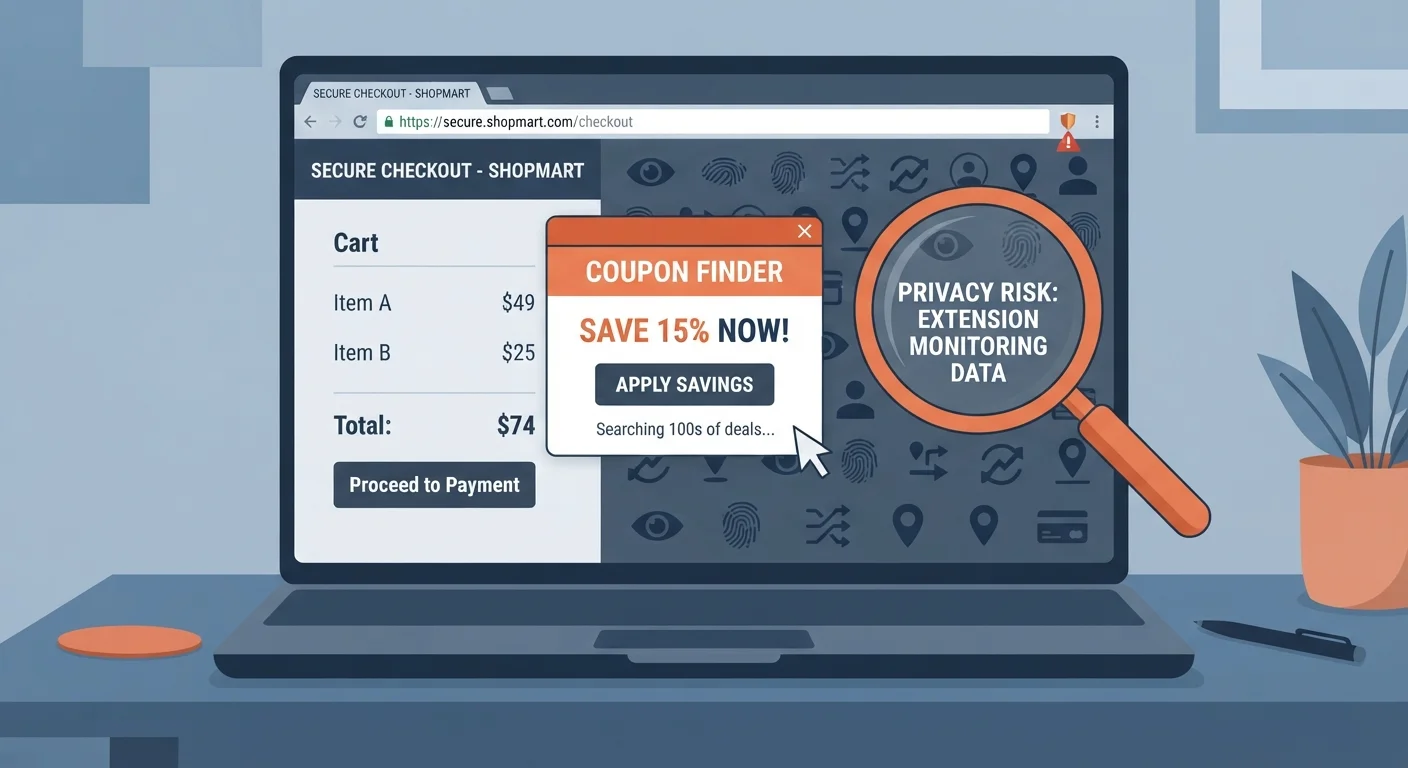
Most coupon extensions request access to read data on all websites you visit, not just shopping sites. This gives them visibility into browsing behavior far beyond the checkout pages where they provide value.
Affiliate commission hijacking harms content creators
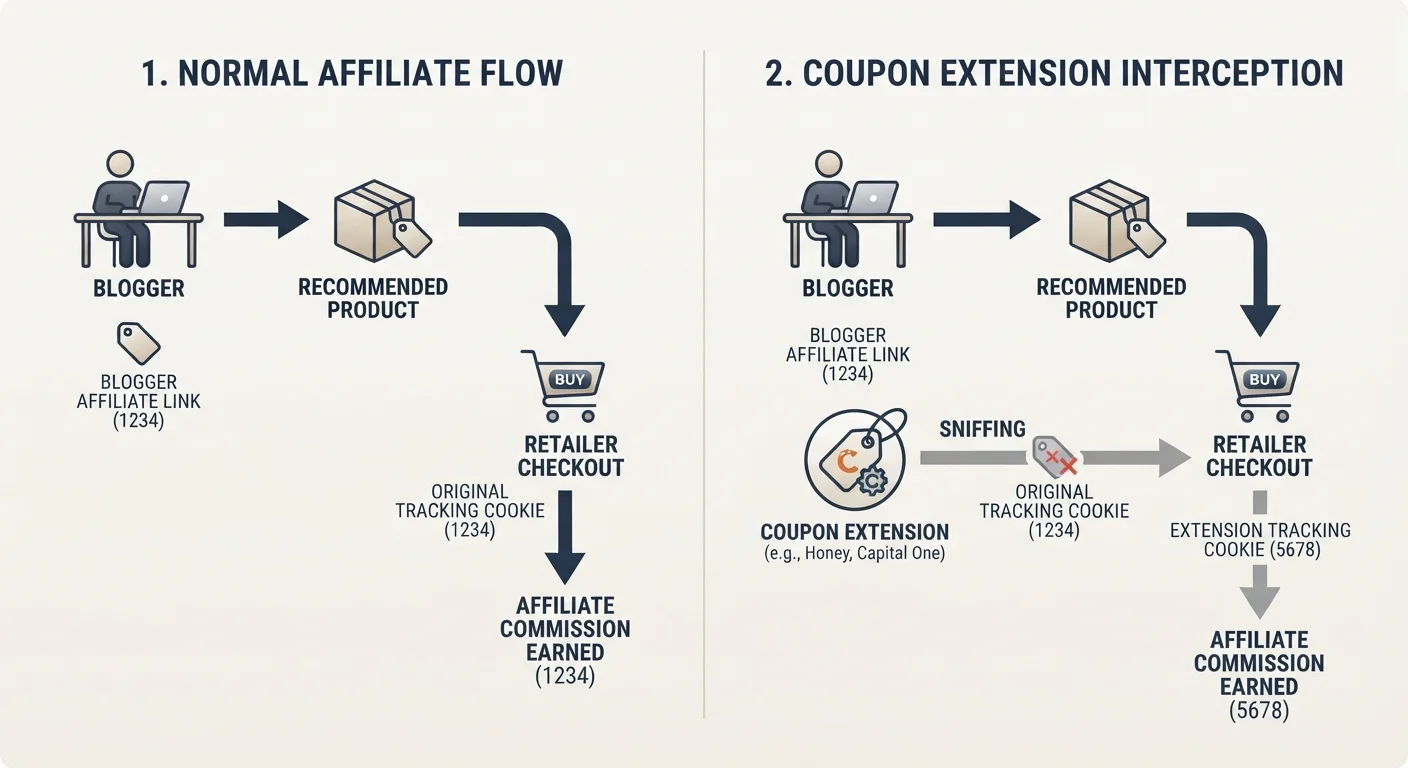
When an extension activates at checkout, it can overwrite the affiliate tracking tag from the blogger, reviewer, or deal site whose recommendation led you to the product - redirecting that commission to the extension's operator instead.
Auto-applied codes can break stacked deal strategies
If you've assembled a multi-layer deal using a store sale, a loyalty coupon, and a credit card portal, an extension applying a competing code can invalidate part of the stack without a clear warning.
Code databases are frequently outdated or low-value
A significant portion of codes extensions surface are expired, publicly available on coupon sites, or apply only to new customers - producing a false sense of deal coverage without meaningful additional savings.
Purchase behavior data sold to retail partners
Several major extensions have privacy policies that explicitly permit sharing individual-level purchase data with merchant partners, allowing retailers to build detailed profiles of your price sensitivity and shopping patterns.
Can conflict with credit card portal cashback tracking
Running a coupon extension while shopping through a credit card's cashback portal can interfere with the portal's affiliate tracking cookie, potentially voiding the portal's cashback reward for that session.
Our Verdict
Coupon browser extensions are a legitimate money-saving tool, but 'free' is a marketing frame - not a business model reality. The extensions collect browsing behavior, purchase history, and shopping intent data in exchange for discount codes that often exist publicly anyway. Whether that trade-off makes sense depends on how frequently you shop online, how much you value data privacy, and whether you take steps to use these tools strategically rather than passively.
Best for frequent online shoppers who are willing to read permissions, disable extensions when not actively checking out, and pair them with a cashback credit card for layered savings.
What Coupon Extensions Actually Are (and Aren't)
Honey, Rakuten, Capital One Shopping, and their competitors present themselves as shopping assistants that automatically find and apply the best available coupon codes at checkout. The pitch is simple: install once, save forever, pay nothing. It's a compelling value proposition - and it's also missing about half the story.
These extensions are, first and foremost, data businesses. The coupon functionality is the hook that gets them installed on hundreds of millions of browsers. What they're actually selling is access to high-intent consumer behavior data: which sites you visit, what you put in your cart, when you abandon a purchase, and what prices finally push you to complete a transaction. That data is extraordinarily valuable to retailers, advertisers, and market research firms.
This doesn't make the extensions scams. Most of them do surface real discounts, and the best ones also layer in cashback rewards that pay out real money. But understanding the actual business model changes how you should think about installing, configuring, and using them.
See our breakdown of what happens behind the scenes when one of these extensions kicks in at checkout - the mechanics are more complex than most shoppers realize.
The Real Pros: Where These Extensions Earn Their Place
Before getting into the trade-offs, it's worth being precise about where coupon extensions genuinely deliver value. These aren't hypothetical benefits - they're consistent enough to justify installation for the right type of shopper.
Automatic code testing saves real checkout time
Instead of opening a new tab to hunt codes manually, extensions test available codes in seconds. For shoppers who buy online frequently, this time savings compounds significantly over a year.
Cashback-enabled extensions pay you directly
Extensions like Rakuten share a portion of the affiliate commission they earn with users, generating real cashback that accumulates passively with no additional effort beyond activation.
Price history tracking surfaces real deals
Some extensions (notably Honey's Droplist and CamelCamelCamel-integrated tools) track price history so you can see whether a 'sale' price is actually a discount or just the item's standard price with a crossed-out number.
Broad retailer coverage in a single install
Major extensions cover thousands of retailers, replacing the need to maintain accounts at multiple cashback portals or manually check deal sites before each purchase.
Works passively without disrupting checkout flow
When functioning correctly, extensions integrate into the existing checkout process without redirecting you to another site, unlike traditional cashback portals that require you to start sessions from their homepage.
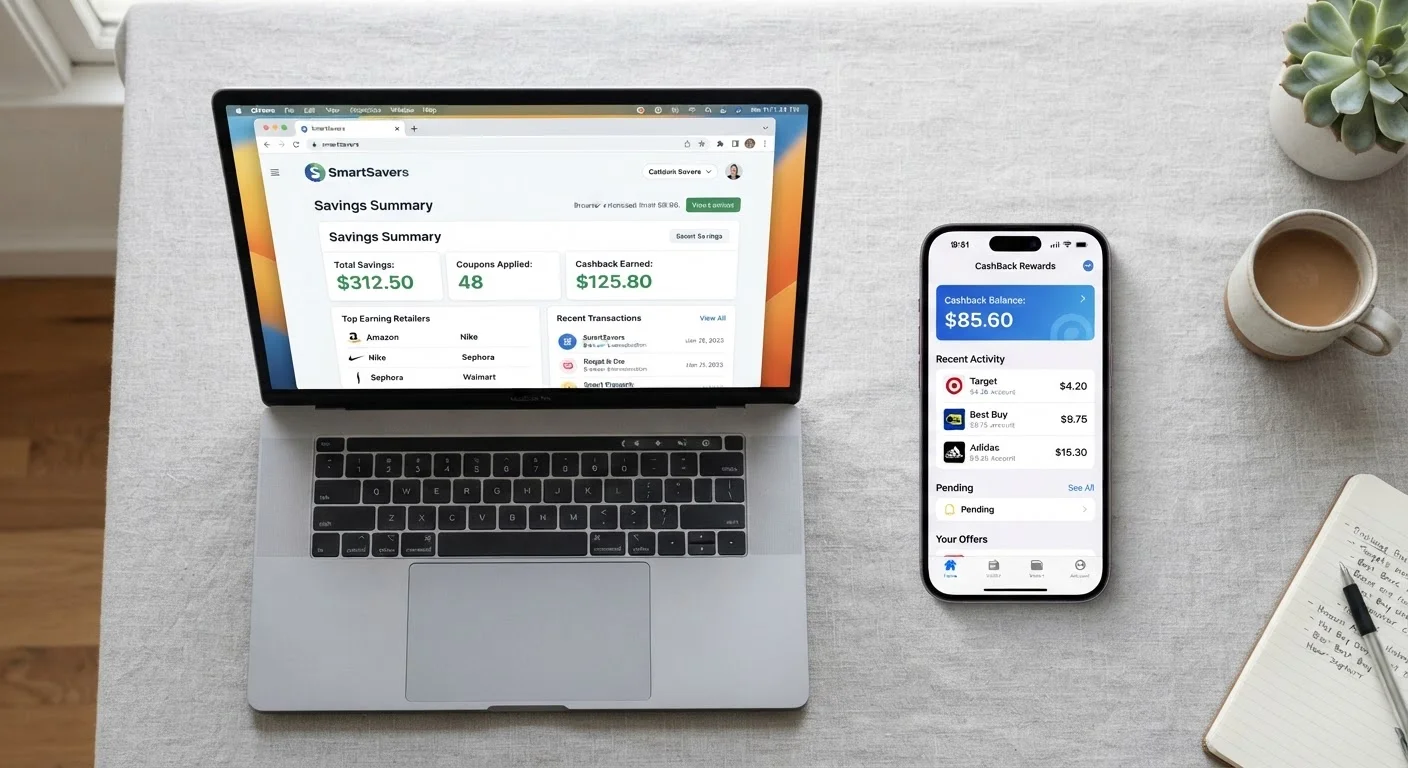
The cashback layer deserves special attention. Extensions like Rakuten function primarily as cashback portals - the coupon codes are secondary. If you shop at a retailer that's in their network and you activate the extension before checkout, a percentage of your purchase total gets credited to your account. Over a year of regular shopping, this compounds into meaningful money without requiring you to hunt for deals manually.
For a side-by-side look at which extensions actually earn more depending on your shopping habits, the comparison of browser extensions vs. mobile cashback apps breaks down the numbers across categories.
The Real Cons: What You're Actually Giving Up
The disadvantages of coupon extensions range from minor annoyances to legitimate privacy concerns depending on which extension you're using and how you've configured your browser. None of them are dealbreakers in isolation - but they're worth understanding before you install.
Broad browser permissions enable extensive data harvesting
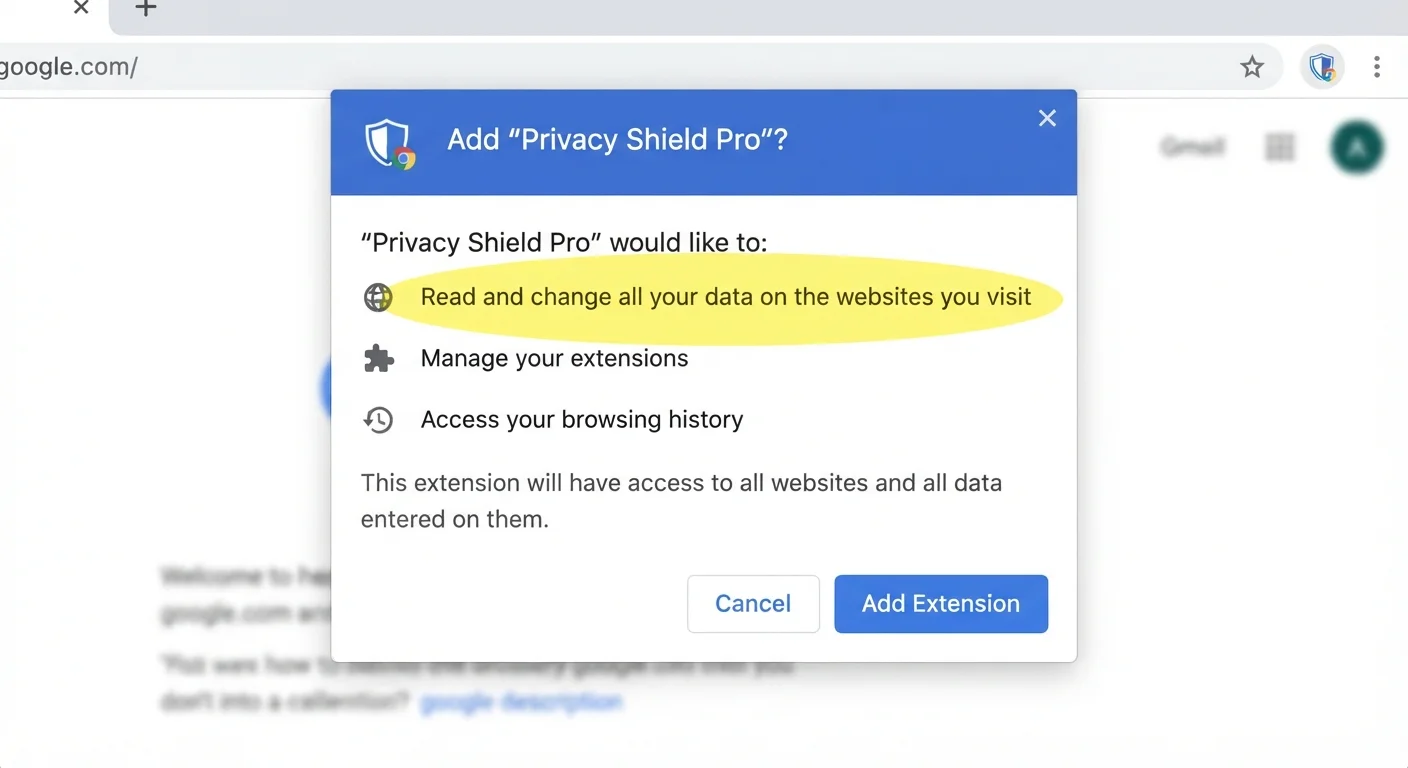
Most coupon extensions request access to read data on all websites you visit, not just shopping sites. This gives them visibility into browsing behavior far beyond the checkout pages where they provide value.
Affiliate commission hijacking harms content creators
When an extension activates at checkout, it can overwrite the affiliate tracking tag from the blogger, reviewer, or deal site whose recommendation led you to the product - redirecting that commission to the extension's operator instead.
Auto-applied codes can break stacked deal strategies
If you've assembled a multi-layer deal using a store sale, a loyalty coupon, and a credit card portal, an extension applying a competing code can invalidate part of the stack without a clear warning.
Code databases are frequently outdated or low-value
A significant portion of codes extensions surface are expired, publicly available on coupon sites, or apply only to new customers - producing a false sense of deal coverage without meaningful additional savings.
Purchase behavior data sold to retail partners
Several major extensions have privacy policies that explicitly permit sharing individual-level purchase data with merchant partners, allowing retailers to build detailed profiles of your price sensitivity and shopping patterns.
Can conflict with credit card portal cashback tracking
Running a coupon extension while shopping through a credit card's cashback portal can interfere with the portal's affiliate tracking cookie, potentially voiding the portal's cashback reward for that session.
The affiliate commission issue is one that most shoppers never consider. When you click a link from a blogger, YouTuber, or deal site, that link carries an affiliate tag. If a coupon extension activates at checkout, it can overwrite that tag with its own - meaning the extension collects the referral commission instead of the creator whose recommendation led you to the product. This is a systemic practice, not a bug, and it's generated significant legal scrutiny for major extensions.
On the coupon code reliability front, why coupon savings often don't make it to your cart covers the specific failure modes that cause shoppers to leave money on the table even when an extension appears to be working.
The Data Privacy Question: What Are You Actually Consenting To?
Every browser extension requires permissions when installed. Most shoppers click through these screens without reading them. For coupon extensions, that's a meaningful oversight.
Permissions Vary Significantly By Extension
Not every coupon extension requests the same browser permissions. Capital One Shopping, for example, claims to limit data collection to shopping-specific activity, while Honey's permissions have historically been broader. Before installing any extension, navigate to the Chrome Web Store listing and review the 'Privacy practices' tab - it lists declared data categories the extension collects. This takes about 90 seconds and gives you a clearer baseline than the marketing copy.
Disabling Extensions Is Faster Than Uninstalling
You don't need to uninstall a coupon extension to protect your browsing privacy during non-shopping sessions. In Chrome, click the puzzle-piece icon in the toolbar, find the extension, and toggle it off. It takes two clicks and can be reversed just as quickly when you're ready to checkout. This single habit eliminates the passive data collection that happens when extensions run continuously across all your browsing.
Common permissions requested by major coupon extensions include:
- Read and change all your data on the websites you visit - This is the broadest possible permission. It means the extension can see every page you load, every form you fill out, and every item you browse.
- Read your browsing history - Full visibility into which sites you visit and when.
- Manage your downloads - Less common, but requested by some extensions.
- Communicate with cooperating websites - Allows the extension to send data about your behavior back to partner retailers.
What happens with that data varies by company and privacy policy. Some extensions claim to anonymize and aggregate browsing data before selling it. Others are more explicit that individual-level purchase data may be shared with retail partners. Honey's privacy policy, for example, has historically permitted sharing purchase data with merchants - which is how they fund the service on the retailer side of the equation.
~$150M
PayPal paid to acquire Honey in 2020
PayPal acquired Honey for approximately $4 billion in 2020, making it one of the largest acquisitions in the coupon technology space - a signal of how valuable the underlying data and user base were considered.
30M+
Honey active users at time of acquisition
Honey reported over 30 million active users when acquired by PayPal, giving the combined entity one of the largest consumer shopping behavior datasets in existence.
Up to 40%
Cashback rates at select Rakuten partner retailers
Rakuten periodically offers elevated cashback rates of 20-40% at specific retailers during promotional windows, significantly exceeding what most coupon codes provide.
~80%
Coupon codes that fail or are expired at testing
Industry estimates suggest the majority of codes in aggregated coupon databases are expired or restricted, meaning extensions often test codes without realistic chances of success before surfacing the rare working one.
If data privacy is a genuine concern for you, the practical mitigation isn't to avoid extensions entirely - it's to use a dedicated browser profile for shopping, or to only enable the extension when you're actively at checkout rather than leaving it running passively across all browsing sessions.
When Extensions Interfere With Better Deals You Already Have
One underappreciated downside is that coupon extensions can actively conflict with savings strategies that are worth more than what the extension offers.
Loyalty program conflicts: Some retailers structure their loyalty rewards so that using a third-party coupon code voids points accumulation on that order. If you're working toward a status tier or a points threshold, a $3 auto-applied code that costs you 500 points may be a net negative.
Stacking interference: If you've manually stacked a sale price, a store-specific coupon, and a credit card portal cashback offer, an extension that auto-applies a competing code can break the stack. Most extensions let you decline their suggestion, but the auto-apply behavior on some platforms can trigger before you notice.
Portal commission conflicts: If you're shopping through a credit card's cashback portal (Chase, Citi, Amex Offers), having a coupon extension active can sometimes interfere with portal tracking, potentially voiding the portal's cashback. The safest practice when using a card portal is to disable other extensions for that session.
The coupon stacking strategies hub covers how to layer discounts without triggering these conflicts - including which deal types are compatible and which cancel each other out.
How to Evaluate Whether a Specific Extension Is Worth It
Not all coupon extensions carry the same risk profile or deliver the same savings. Here's a practical framework for evaluating any extension before installing it.
Check the permissions screen carefully
When Chrome (or your browser) shows you the permissions an extension is requesting, read them. An extension that only needs to "read data on specific shopping sites" is materially different from one that requests access to all sites. If the permissions seem broader than necessary for a coupon tool, that's a data collection signal, not a technical requirement.
Look at the business model
Extensions that pay you cashback (Rakuten, Ibotta) have a clear, disclosed revenue model: they earn affiliate commissions from retailers and share a portion with you. Extensions that don't pay you cashback but still need to generate revenue are getting that revenue somewhere - typically data. Neither model is inherently wrong, but knowing which one you're dealing with sets expectations correctly.
Test code quality before trusting the auto-apply
Run a few searches on RetailMeNot or Honey's code database manually and compare what the extension applies automatically. If the extension consistently applies the same codes you find publicly in thirty seconds, it's not providing much intelligence - just convenience at the cost of data access.
For a head-to-head comparison of the three most popular options on savings rates, retailer coverage, and privacy trade-offs, see Honey, Rakuten, and Capital One Shopping compared.
Consider a time-limited installation
Install an extension for one month, track what it actually saves you (most extensions provide a savings dashboard), and compare that number to what you would have found manually or through a cashback credit card. If the delta is small, the data access may not be justified.
How to Get the Benefits Without the Full Downside
If you decide a coupon extension is worth using, there are concrete ways to reduce the privacy exposure and interference risks without abandoning the savings entirely.
- Use a separate browser profile for shopping. Chrome and Firefox both support multiple profiles. A dedicated shopping profile limits which browsing data the extension can access - it won't see your banking sessions, health research, or work tools.
- Disable the extension outside of checkout. Most extensions can be toggled off from the toolbar in a single click. Get in the habit of enabling the extension only when you're ready to complete a purchase, then disabling it afterward. This dramatically reduces the passive browsing data the extension can collect.
- Prioritize cashback extensions over code-only tools. If you're going to share data, at least use an extension that pays you a direct cut of what it earns. Rakuten and Ibotta's browser tools are more transparent about how they generate revenue and provide tangible cashback in return.
- Layer with a cashback credit card. The highest-value stack is typically: cashback card portal → extension cashback → applied coupon code, in that order of priority. Extensions should be the final layer, not the primary savings strategy.
Also worth checking: price-drop alert tools operate with much narrower data permissions than full coupon extensions and can catch savings on items you're tracking without the broad browsing access.
Permissions Vary Significantly By Extension
Not every coupon extension requests the same browser permissions. Capital One Shopping, for example, claims to limit data collection to shopping-specific activity, while Honey's permissions have historically been broader. Before installing any extension, navigate to the Chrome Web Store listing and review the 'Privacy practices' tab - it lists declared data categories the extension collects. This takes about 90 seconds and gives you a clearer baseline than the marketing copy.
Disabling Extensions Is Faster Than Uninstalling
You don't need to uninstall a coupon extension to protect your browsing privacy during non-shopping sessions. In Chrome, click the puzzle-piece icon in the toolbar, find the extension, and toggle it off. It takes two clicks and can be reversed just as quickly when you're ready to checkout. This single habit eliminates the passive data collection that happens when extensions run continuously across all your browsing.
The Bottom Line on 'Free'
The core tension with coupon extensions is that the free model works precisely because most users don't interrogate it. A tool that saves you $47 over six months while quietly building a detailed profile of your purchase behavior and shopping triggers isn't a neutral exchange - but it's also not automatically a bad one. The calculus depends on how much you value your behavioral data and how much the extension actually saves you in practice.
The shoppers who get the most value from these tools are the ones who treat them as one layer in a deliberate savings system rather than a passive set-it-and-forget-it solution. That means knowing when to activate the extension, when to override its suggestion, and when a better deal exists through a different channel entirely.
If you haven't stress-tested your broader coupon strategy recently, why coupons aren't saving you as much as they should is a useful audit - it covers the habits that quietly shrink savings across all deal formats, not just browser extensions.
Use the tools deliberately, read what you're consenting to, and don't let convenience be a substitute for strategy.