
What 'Storage' and 'Memory' Mean — and Why People Confuse Them
RAM and hard drive space are not the same thing. Learn the real difference between storage and memory and why it matters for everyday devices.
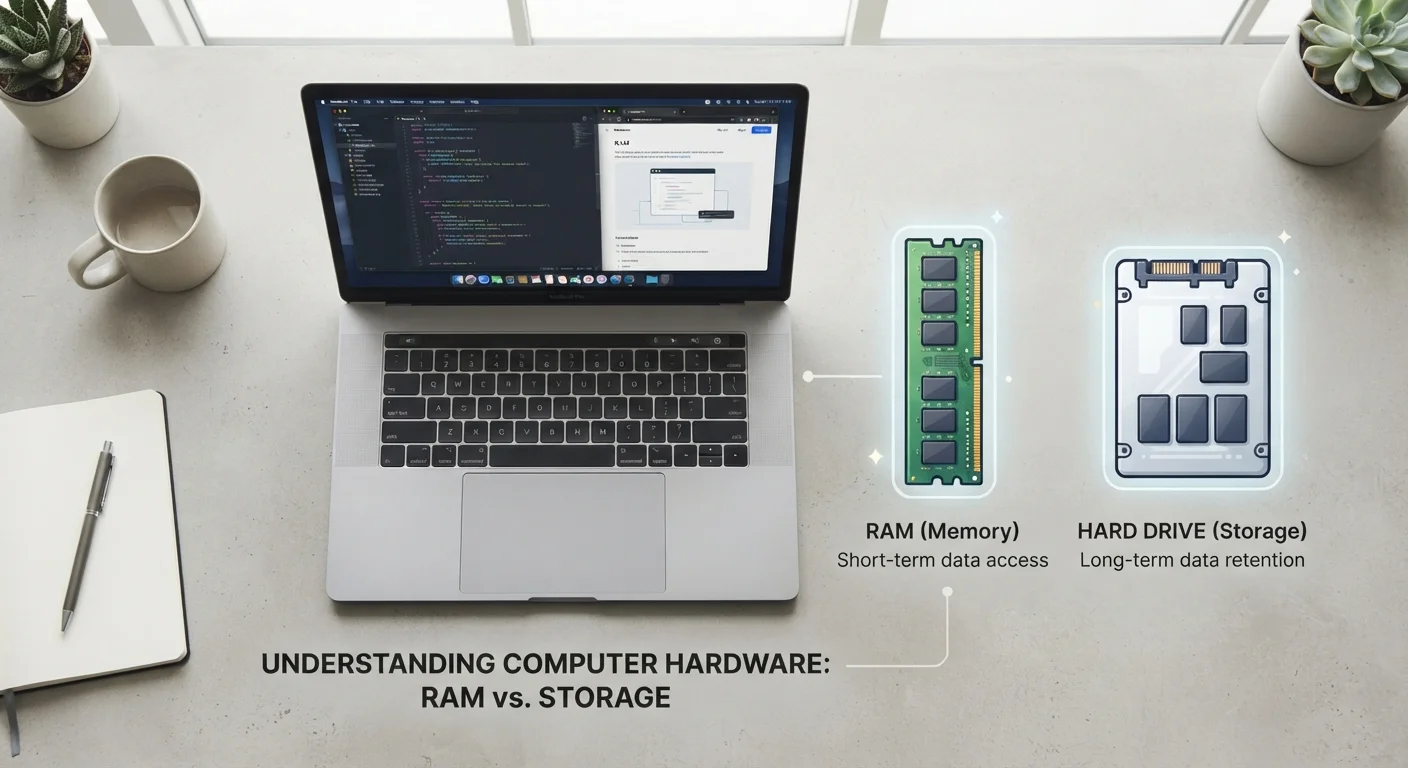
Photo: SaverSteals.com editorial
—— In This Article
Key Takeaways
- RAM (memory) handles what your device is doing right now; storage holds everything permanently.
- More RAM means smoother multitasking; more storage means room for more files and apps.
- Confusing the two can lead to buying a device that underperforms for your actual needs.
- Phones, laptops, and tablets all have both RAM and storage — they're separate specs.
- When a device feels slow, the culprit is often low RAM, not low storage.
Two Different Jobs Inside Every Device
Open a spreadsheet on your laptop. The file comes from storage — your hard drive or SSD — where it lives permanently. The moment it opens, your device loads it into RAM so the processor can work with it instantly. When you close the file, it leaves RAM and goes back to storage. This cycle happens thousands of times a day, invisibly.
Think of storage as a filing cabinet and RAM as the surface of your desk. A bigger filing cabinet means more documents on hand; a bigger desk means more documents you can actively work with at the same time. Both matter, but they are not interchangeable.
8 GB
Common baseline RAM for modern laptops
Industry guidance broadly positions 8 GB of RAM as a functional minimum for everyday computing tasks such as web browsing, document editing, and video streaming.
256 GB
Typical base storage on mid-range smartphones
Many mid-range smartphones ship with 128–256 GB of internal storage, reflecting how much space photos, apps, and media commonly require over a device's lifespan.
Why the Confusion Happens
The mix-up has a few root causes. First, both specs are measured in gigabytes (GB), which makes them look similar on a product listing. Second, smartphone marketing has historically used 'memory' to describe storage capacity — a practice that blurs the line. Third, when a device slows down, people often blame whichever number looks small, without knowing which one actually matters for the symptom.
Manufacturers are inconsistent, too. Some spec sheets label RAM as 'memory' and storage as 'storage'; others flip or blend the terminology. Reading a spec sheet carefully — looking for the word RAM or the abbreviation GB RAM — is the clearest way to distinguish them.
The 'Virtual Memory' Wrinkle
Some operating systems create a 'swap file' or 'page file' on the storage drive to simulate extra RAM when physical RAM is full. This can prevent crashes, but it is significantly slower than real RAM because storage read/write speeds lag far behind RAM speeds. Relying on virtual memory as a long-term substitute for adequate RAM will result in a noticeably sluggish experience.
What Each One Actually Affects
RAM affects performance in the moment. If you have too little RAM, your device struggles when multiple apps are open, web pages reload every time you switch tabs, or the system feels sluggish even on simple tasks. Adding RAM (where the device allows it) directly improves multitasking speed.
Storage affects capacity over time. Running low on storage means you can't install new apps, save new photos, or download files. It does not, by itself, make the device run slowly — unless the OS uses storage as a RAM overflow, which some systems do.
When a salesperson or spec sheet lists a phone as having '8GB + 256GB,' the first number is RAM and the second is storage. Both are useful to know, and neither substitutes for the other. For a deeper look at where your saved files actually end up, see our guide to cloud vs. local storage.
Practical Implications When Evaluating a Device
When considering any computer, tablet, or phone, think about your actual usage patterns rather than chasing the largest numbers. A device used primarily for email and web browsing has different RAM needs than one used for video editing or gaming. Storage needs depend on how many large files — photos, videos, music — you plan to keep locally on the device.
It is also worth knowing whether a device's RAM or storage can be upgraded later, or whether what you buy at the outset is permanent. Many modern ultrabooks and smartphones use soldered components, making the purchase decision especially consequential. A little time spent reading the spec sheet with these distinctions in mind goes a long way toward avoiding buyer's remorse.
Read the Full Spec Before You Decide
When comparing devices, look for both RAM and storage figures explicitly labeled — don't assume a single 'memory' figure covers both. If a listing only shows one number in GB, ask or research further to confirm which type it refers to. Getting both specs right upfront saves frustration down the line.
Frequently Asked Questions

Shopping Editorial Team
Shopping Editorial Team is the collective byline for our editorial team and contributor network. Articles published under this byline or an editorial pen name are researched, written, and reviewed according to our editorial standards for clarity, consistency, and independence before publication.
View author profile