

Key Takeaways
Why a Padlock Alone Means Very Little
The green padlock - or the https:// prefix - became shorthand for "safe" in popular culture, and fraudsters noticed. As of 2024, the majority of phishing sites use HTTPS, because getting a basic SSL certificate costs nothing and takes minutes. That padlock tells you one thing only: the connection between your browser and the server is encrypted. It says absolutely nothing about who owns that server or what they plan to do with your data.
Understanding this distinction is the foundation of smarter checkout hygiene. Before you enter a card number anywhere, you need to evaluate the page on several dimensions - not just the protocol indicator in the address bar. The mistakes below are the ones that trip up even experienced online shoppers, and each one has a concrete, fast fix.
For deeper context on how your payment data actually moves once you hit "Submit," see what happens to your card details when you pay online.
The Mistakes Shoppers Make at the Checkout Page
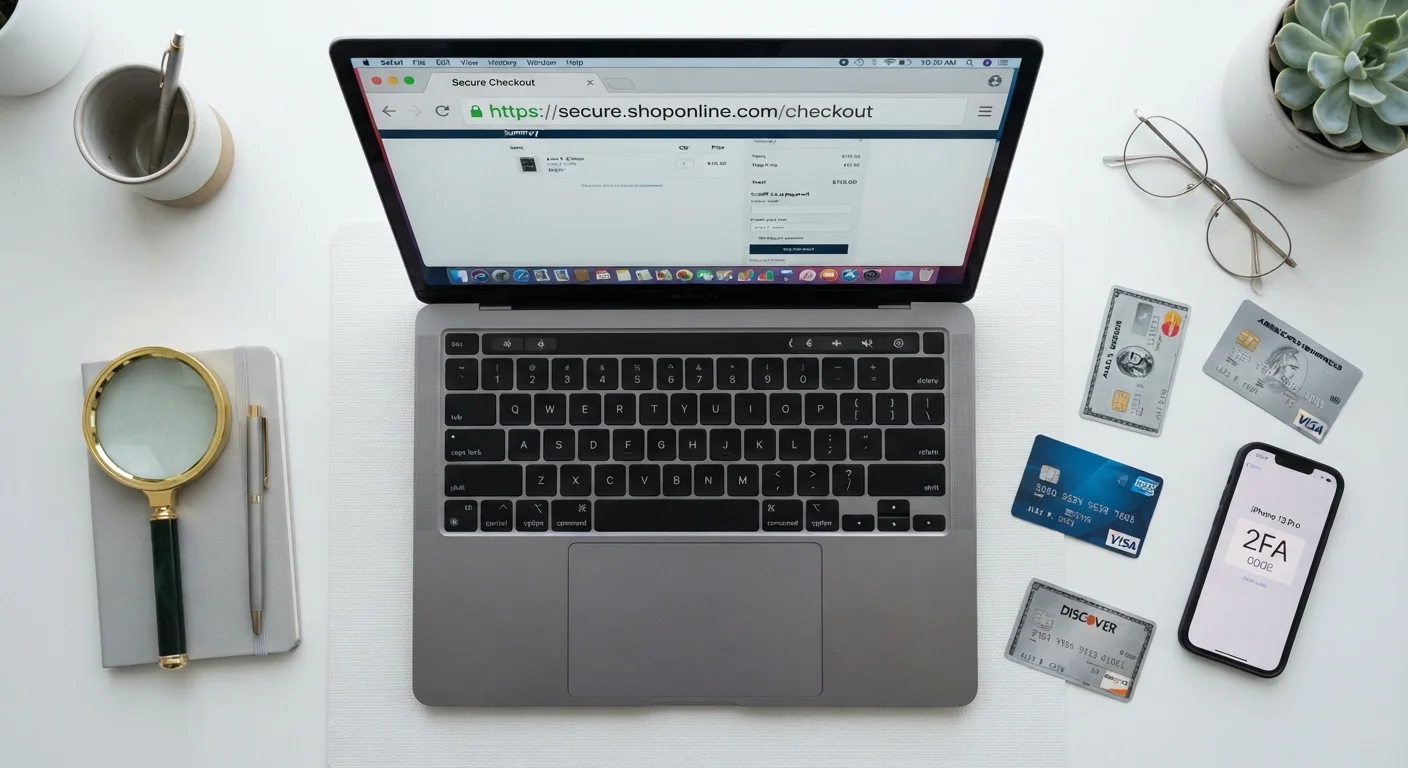
Each of the following errors is common, understandable, and preventable. Work through them systematically and you'll have a mental checklist you can run in under 60 seconds before any purchase.
Trusting the padlock icon as proof that a site is legitimate.
Why it happens: For years, browser UI and consumer education conflated HTTPS with "safe site." The padlock became a mental shortcut that scammers now exploit freely.
Ignoring a URL change or unexpected redirect during the checkout flow.
Why it happens: Shoppers are focused on completing the purchase and assume any redirect is part of normal processing - especially when the page design looks consistent.
Entering payment data on a page that requests unnecessary personal information - SSN, PIN, or date of birth.
Why it happens: Fraudulent pages sometimes embed extra fields that look like standard verification steps, and shoppers in purchase-completion mode rarely question individual fields.
Clicking trust badge images without verifying they link to active certifications.
Why it happens: Trust badges are visually authoritative - the Norton shield, the BBB logo - and most shoppers assume they're dynamic, verified indicators rather than static images.
Using a primary debit card - rather than a credit card or virtual card number - for transactions on unfamiliar sites.
Why it happens: Many shoppers default to whatever card is saved in their browser or linked to their account, often a debit card, without considering that debit fraud recovery is slower and the money leaves your account immediately.
Assuming a professional-looking page design equals a secure and legitimate checkout.
Why it happens: High-quality design was once a reliable proxy for legitimate business investment. Today, scammers use stolen templates, copied CSS, and AI-generated storefronts that are visually indistinguishable from real retailers.
Completing checkout over public Wi-Fi without a VPN.
Why it happens: HTTPS encryption gives shoppers confidence that even on shared networks they're protected - which is largely true, but open networks can still expose DNS queries, metadata, and in some cases session data depending on implementation.
Failing to check bank and card statements promptly after purchasing from a new merchant.
Why it happens: Shoppers tend to review statements monthly, often at billing cycle close. By then, a small test charge from a skimmer has already preceded a larger fraudulent withdrawal.
~85%
Phishing sites using HTTPS
According to the APWG Phishing Activity Trends Report, approximately 85% of phishing sites operated over HTTPS as of 2023, up from under 5% in 2016.
$48B+
Global card fraud losses annually
The Nilson Report estimates global payment card fraud losses exceeded $48 billion in 2023, with card-not-present (online) fraud representing the fastest-growing segment.
72 hours
Average time to detect card skimmer activity
Research by security firm Gemini Advisory found compromised card data is often listed for sale within 72 hours of a web skimmer capturing it.
3x
Higher chargeback success rate for credit vs. debit fraud
Consumer Financial Protection Bureau data consistently shows credit card holders recover fraudulent charges at significantly higher rates than debit card holders due to differing federal liability rules.
URL and Domain Signals You Shouldn't Ignore
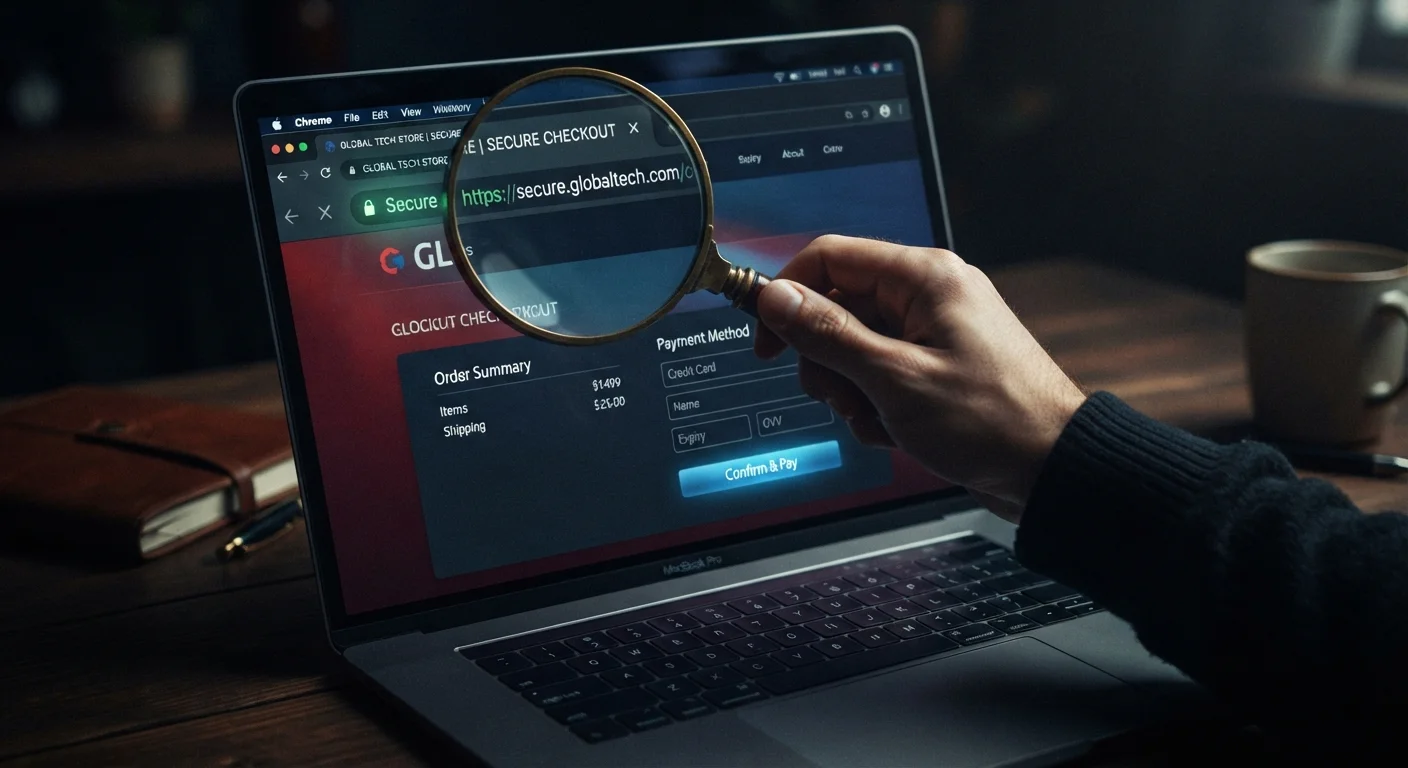
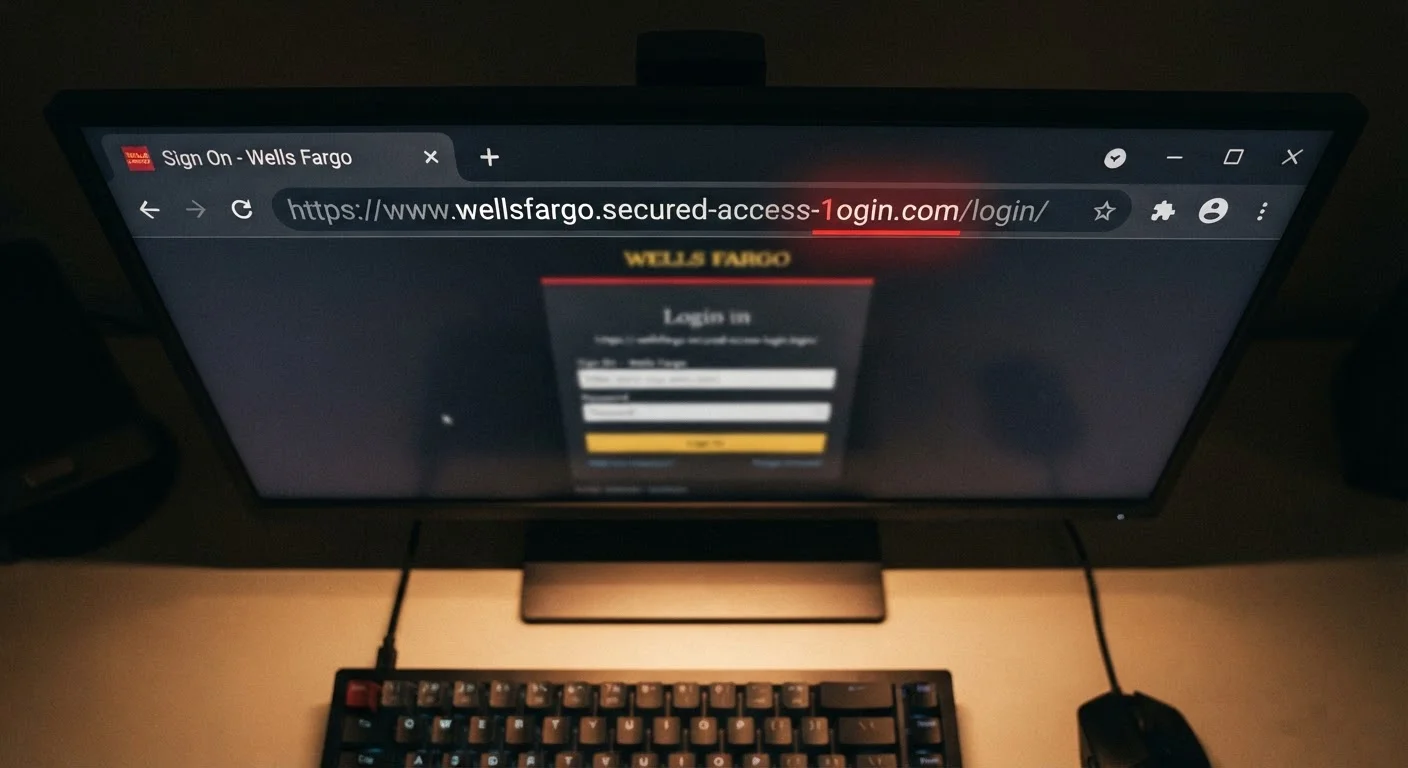
The address bar is the single most reliable piece of information your browser gives you about a page's identity. Most shoppers glance at it for the padlock and move on - that's a mistake. Here's what to actually inspect:
- The root domain: Fraudulent pages often use subdomains or slight misspellings to impersonate real retailers (e.g.,
checkout.amazon-secure-pay.cominstead ofamazon.com). The real domain is always the segment immediately before the first single slash afterhttps://. - Redirects mid-checkout: If you click "Proceed to Payment" and the domain changes unexpectedly, stop. Legitimate retailers either stay on their own domain or redirect to a well-known, named payment processor (
paypal.com,stripe.com,adyen.com). - Internationalized domain names (IDN): Characters like
ạorėlook identical to standard Latin letters in most fonts. Paste the URL into a plain text editor if something feels off - impersonation characters will often render distinctly or display in Punycode (xn--).
Homograph Attacks Are Harder to Spot Than You Think
Internationalized domain name (IDN) homograph attacks use Unicode characters that are visually identical to standard ASCII letters. A URL that appears to say "paypal.com" may contain a Cyrillic "а" instead of a Latin "a" - your browser renders them identically in the address bar. If a domain looks right but something feels off, copy it into a plain text editor or WHOIS tool to expose any hidden characters.
Free Wi-Fi Checkout Is a Risk Even With HTTPS
While HTTPS encrypts the content of your payment transmission, public Wi-Fi environments can expose session cookies, enable evil twin attacks (fake hotspots mimicking legitimate ones), and allow passive surveillance of DNS queries. Never complete a financial transaction on an open network without a VPN - the convenience isn't worth the exposure.
Browser Autofill Can Be Harvested Without You Clicking Submit
Some skimmer scripts are designed to harvest autofill data from hidden form fields the moment your browser populates them - before you even click "Pay Now." Consider disabling payment autofill in your browser settings on unfamiliar sites, or use a dedicated password manager that requires manual confirmation per field.
One practical habit: before entering payment details on any new merchant, run a quick WHOIS lookup on the domain. A site registered two weeks ago selling luxury goods at 70% off is a risk profile you can evaluate in seconds.
When you're vetting a marketplace rather than a direct retailer, seller trust signals matter equally. Our guide on marketplace fees, seller trust, and return policies covers the signals specific to third-party platforms.
Payment Form Behavior: What Legitimate Processors Actually Do
A checkout form's behavior reveals more about its safety than its appearance. Scam pages often copy legitimate designs pixel-for-pixel - buttons, logos, trust badges - while the underlying code does something entirely different with your input.
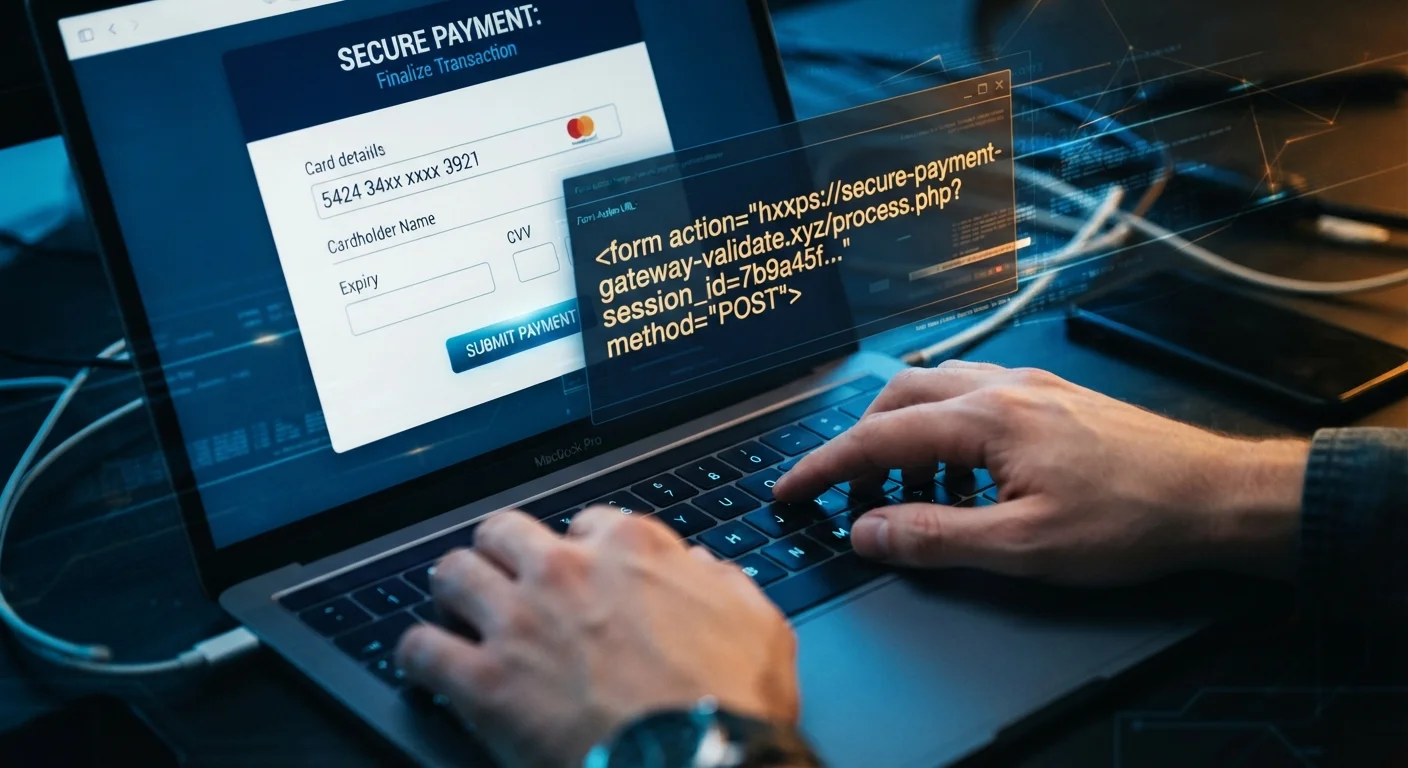
Inspect the form action
Right-click any payment form and choose "Inspect" (or "View Page Source"). Look for the attribute. The URL shown there is where your card data actually goes when you click Submit. If it points to an unfamiliar domain that doesn't match the payment processor named on screen, don't proceed.
Watch for inline card forms vs. iframes
Reputable payment processors (Stripe, Braintree, Square) load card input fields inside a sandboxed iframe originating from their own domain. This means the merchant's page never actually touches your raw card number - the processor handles it directly. If card fields appear to be plain HTML inputs on the merchant's own domain with no iframe, the merchant is capturing your card number directly, which requires PCI DSS Level 1 compliance. That's fine for large retailers but a serious red flag on an obscure or new site.
Autofill behavior
Modern browsers autofill payment fields using saved card data. If a checkout form blocks autofill or clears the field immediately after autofill populates it, that's a potential indicator of a skimmer script intercepting keystrokes - it needs you to type the number so it can capture it character by character.
If a Form Clears Your Autofilled Card Number, Stop Immediately
A payment field that resets or clears after your browser autofills it is a strong indicator of a JavaScript skimmer intercepting keystrokes. The script needs you to type your card number manually so it can capture each character as it's entered. Do not retype your card number on any page exhibiting this behavior. Close the tab, clear your browser session data, and report the URL.
Virtual Cards Are Your Best Single Defense
A virtual card number issued by your bank or a service like Privacy.com is single-use or merchant-locked, meaning even if a skimmer captures it, the number has zero value for future transactions. This one habit renders most payment page skimming attacks completely harmless. Set up a virtual card before your next purchase at any merchant you haven't used before - the setup takes under five minutes.
After any checkout, cross-reference your payment strategy - including any cashback portals or rewards cards you used - against your actual statement. Portals can also fail to credit correctly, and cashback portal mistakes that leave money on the table covers the most common reasons a transaction goes uncredited.
Trust Signals That Are Actually Meaningless - and What to Check Instead
Scammers have become adept at borrowing legitimacy. Below is a quick breakdown of what's real versus what's theater:
| Signal | What Most Shoppers Think | Reality |
|---|---|---|
| SSL padlock / HTTPS | Site is secure and legitimate | Only proves connection is encrypted; says nothing about site ownership |
| "Verified by Visa" / "Mastercard SecureCode" badge image | Payment is 3DS-protected | Anyone can copy-paste a badge image; 3DS only activates if the processor implements it |
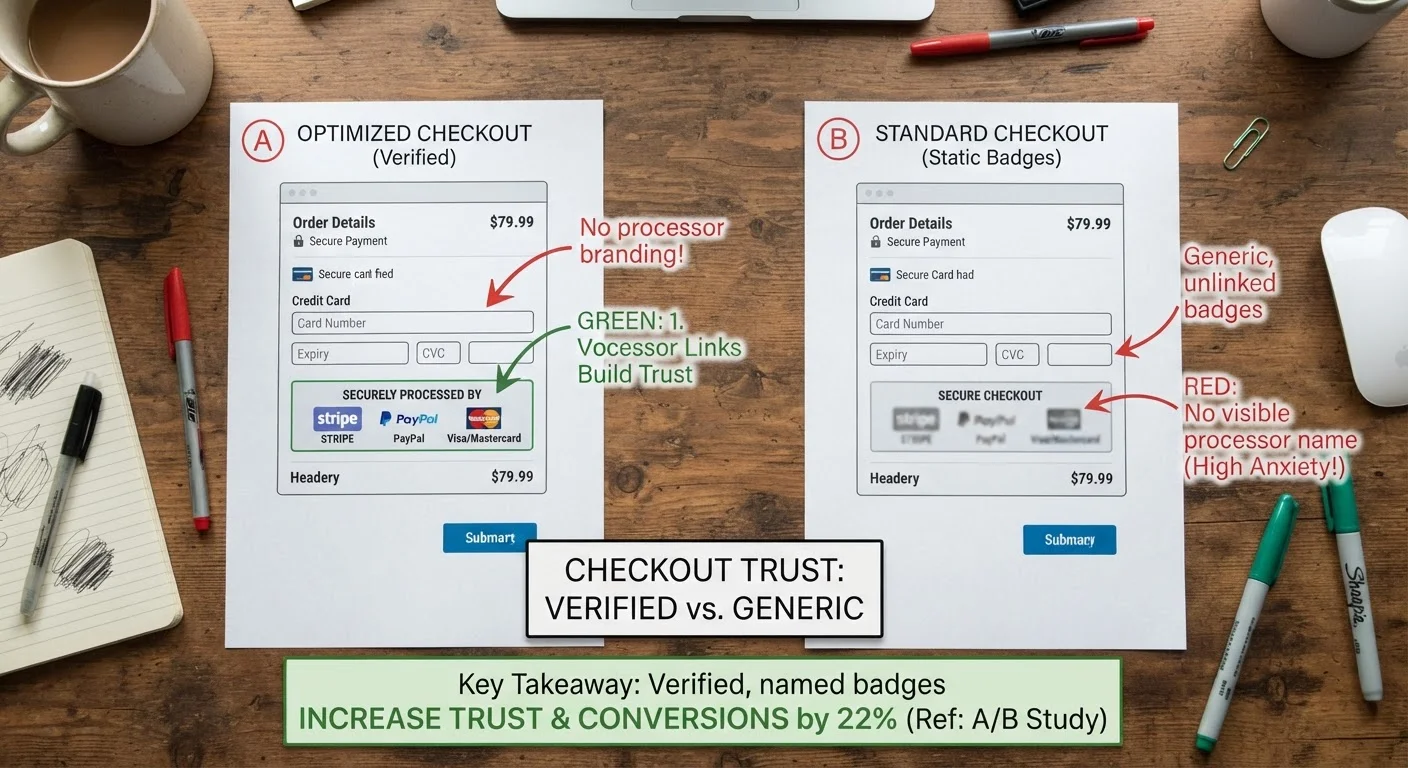
| Trust badge images (Norton, McAfee, BBB) | Third-party verified | Static images; click them to verify they link to an active certification - most fakes don't |
| Physical address in footer | Real business | Easy to fabricate; cross-check against Google Maps and the domain's WHOIS registration country |
| Customer reviews on-site | Social proof | Trivially manufactured; check Trustpilot, Reddit, and the BBB independently |
The single most reliable trust signal a checkout page can offer is a named, clickable payment processor that actually navigates to that processor's domain. PayPal, Stripe, and similar processors impose merchant compliance standards that fraudulent operations can't meet.
If you're building a comprehensive pre-purchase routine, a coupon stacking audit before you check out is a natural companion to the security checks here - it ensures your discounts are legitimate while you're verifying the page itself.
Practical Defenses: Limit Your Exposure Before and After Checkout
Even a perfect checklist doesn't guarantee zero risk - skimmers get embedded in legitimate sites, processors get breached, and tactics evolve. These structural defenses limit how much damage any single compromised checkout can cause:
Use virtual card numbers
Many major card issuers (Capital One, Citi, and others via Privacy.com) offer single-use or merchant-locked virtual card numbers. Even if a skimmer captures the number, it's useless for subsequent transactions. This is the highest-leverage single habit you can adopt for online checkout safety.
Set real-time transaction alerts
Every card should have immediate push notifications enabled for all transactions - not just those above a threshold. Fraudulent charges are often tested with micro-transactions ($1-$2) before larger withdrawals. You want to catch them at the test phase.
Never save card details on unfamiliar merchants
"Save my card for future purchases" checkboxes on new or obscure sites create persistent risk. The merchant stores (or references) your card data in their system indefinitely. If they're breached six months later, your card goes with it. Reserve saved-card convenience for merchants you've vetted thoroughly over time.
Prefer checkout via PayPal, Apple Pay, or Google Pay
These intermediaries mean the merchant never sees your actual card number. The processor sends a transaction token. Even on a compromised merchant site, a skimmer gains nothing useful from the checkout session if you paid via wallet.
If a Form Clears Your Autofilled Card Number, Stop Immediately
A payment field that resets or clears after your browser autofills it is a strong indicator of a JavaScript skimmer intercepting keystrokes. The script needs you to type your card number manually so it can capture each character as it's entered. Do not retype your card number on any page exhibiting this behavior. Close the tab, clear your browser session data, and report the URL.
Virtual Cards Are Your Best Single Defense
A virtual card number issued by your bank or a service like Privacy.com is single-use or merchant-locked, meaning even if a skimmer captures it, the number has zero value for future transactions. This one habit renders most payment page skimming attacks completely harmless. Set up a virtual card before your next purchase at any merchant you haven't used before - the setup takes under five minutes.
Finally, correlate your security habits with your rewards strategy. If you're using a specific cashback card for a category bonus, make sure the checkout method you choose (e.g., PayPal) doesn't obscure the merchant category code and forfeit your rewards. See habits that quietly cost you cashback for how checkout choices intersect with rewards earning.