
Free Reading on a Tight Budget: Combining Library Apps, Archives, and Open Access
A comprehensive look at building a full reading life without spending money, using tools already available to most US residents.
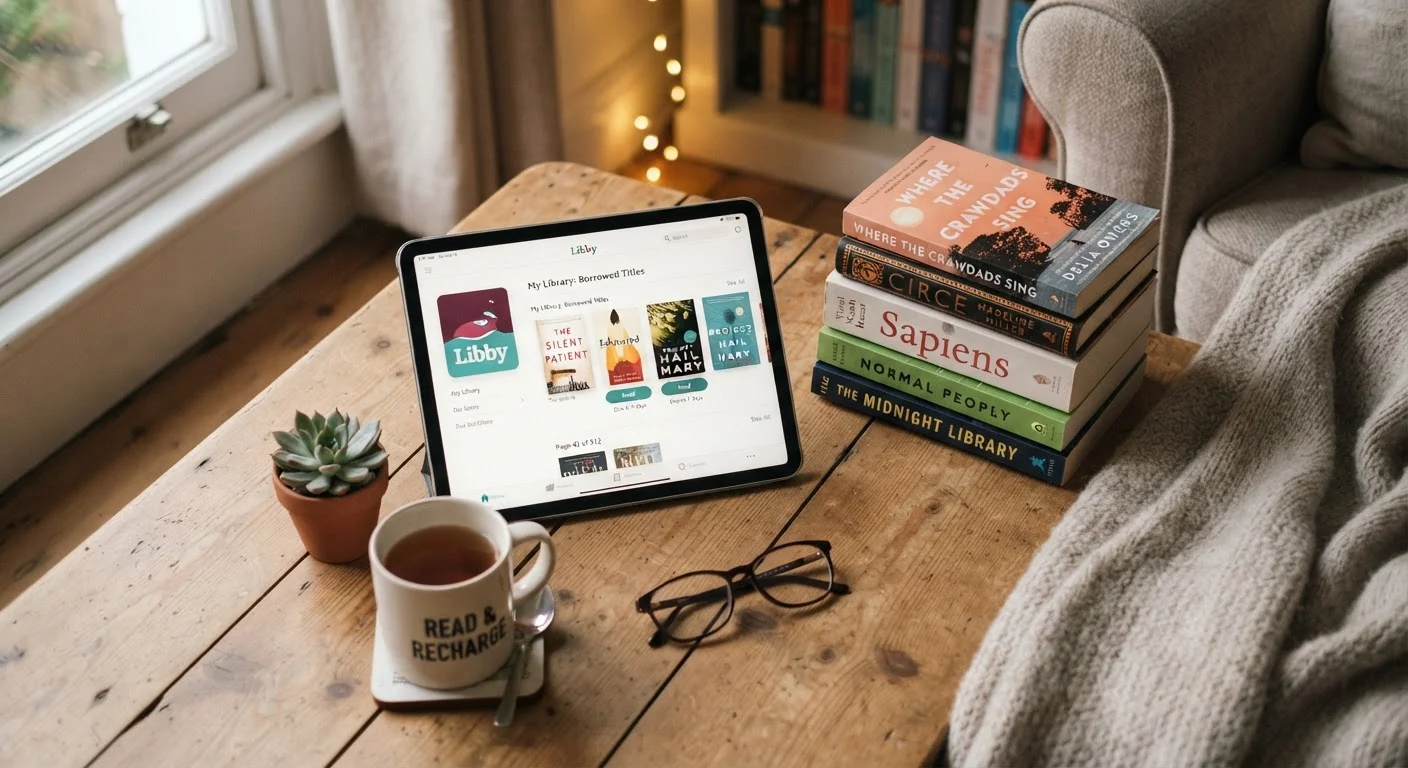
Photo: SaverSteals.com | Explore More. Shop Smarter. editorial
—— In This Article
Key Takeaways
- Your library card unlocks free ebooks, audiobooks, and magazines through Libby and Hoopla.
- Public domain archives like Project Gutenberg offer tens of thousands of titles at no cost.
- Open-access platforms provide free legal access to academic papers and nonfiction texts.
- Combining two or three free sources eliminates most wait times and coverage gaps.
- Consistency habits - holds queues, reading lists - are what keep a free routine working long-term.
Why Combining Free Sources Beats Relying on One
Most readers who set out to read for free settle on one resource - usually their library - and stop there. That works until it doesn't: popular titles have wait lists measured in weeks, and not every library stocks every genre equally. The solution isn't to pay; it's to layer your sources.
Think of free reading as a three-part stack: library apps for current titles, digital archives for classics and older nonfiction, and open-access platforms for research-heavy or academic reading. Each fills gaps the others leave. When your hold queue on a new release stretches six weeks, your archive access fills that time. When a library app lacks a specific academic text, an open-access repository usually has it.
This guide maps out each layer clearly so you can put together a system that works for your actual reading habits - without wading through more options than you need. If you're also considering when it makes sense to buy rather than borrow, see our cost breakdown for readers.
70,000+
Free ebooks on Project Gutenberg
Project Gutenberg's catalog includes works across dozens of languages, all in the public domain and freely downloadable.
90%
US residents with public library access
According to the American Library Association, the vast majority of US residents live within a public library service area.
7M+
Public domain items in HathiTrust
HathiTrust's full-view collection includes millions of digitized volumes freely readable online without registration.
Library Apps: Libby, Hoopla, and How They Differ
Two apps dominate free digital library lending in the US, and they work differently enough that using both is worthwhile.
Libby (which runs on the OverDrive platform) lets you borrow ebooks and audiobooks from your public library's digital collection. Titles have hold queues just like physical books - popular new releases can have waits. You'll need a library card, and the selection mirrors what your specific library system has licensed.
Hoopla connects to the same library card but works on a different model: no holds, no wait lists. You borrow a set number of titles per month (typically eight to ten, depending on your library's agreement), and the catalog skews toward indie publishers, graphic novels, and older catalog titles. Hoopla also includes streaming for comics and music.
Using both together largely eliminates wait-time frustration. Queue a popular novel on Libby while reading a graphic novel series on Hoopla. For a full breakdown of how these apps actually function under the hood, see how the major library apps work.
Set Libby notifications for every hold you place. When a title becomes available, you have only a few days to borrow it before the system moves to the next person in line.
Missing a hold notification wastes weeks of queue time and forces you to start the wait over - a frustrating but easily preventable loss.
On Hoopla, prioritize graphic novels and audiobooks - these formats are often underrepresented in standard library digital catalogs and well-stocked on Hoopla.
Hoopla licenses significantly more graphic novel content than most Libby-connected library systems, making it the more efficient tool for that format.
One underused option: some US residents qualify for multiple library system cards, which multiplies your Libby catalog access significantly. The guide to using a single card across multiple systems explains how to check your eligibility.
Digital Archives: Project Gutenberg and the HathiTrust
For anything published before 1928, US copyright law generally places the work in the public domain - meaning it's free to read, download, and share legally. Two archives are the most useful starting points.
Project Gutenberg hosts over 70,000 free ebooks, primarily classic literature and older nonfiction. The site is no-frills but reliable. Files download in epub, mobi, or plain text, and work on any e-reader or phone. If you want to read Dickens, Austen, Du Bois, or Twain, Gutenberg is faster than any library queue.
HathiTrust Digital Library is a consortium of university and research libraries that has digitized millions of volumes. Much of the collection is limited to search and snippet view for in-copyright works, but the public domain portion - over 7 million items - is fully readable online. It excels at older academic titles, government documents, and periodicals that Gutenberg doesn't carry.
Neither archive requires an account to read public domain material, which makes them genuinely zero-barrier. For a broader directory of legal free reading sources beyond these two, the reference guide for US readers is worth bookmarking.
Open Access and Academic Reading
Open access (OA) refers to research and scholarship made freely available online, usually by authors, universities, or journals that don't charge readers. For anyone who reads nonfiction, history, science, or policy, this is a meaningful category.
JSTOR's free access tier allows registered users to read a limited number of articles per month at no cost. It covers humanities and social sciences most thoroughly. PubMed Central, maintained by the National Institutes of Health, provides free access to biomedical and life sciences research. Many university press journals also publish OA editions of individual articles.
Internet Archive's Open Library operates a digital lending model for in-copyright books - one digital copy is loaned at a time, mirroring physical library lending. Availability varies, and the legal status of this model has faced ongoing litigation, so treat it as a supplement rather than a primary source. For public domain texts, the Internet Archive's collection is extensive and unrestricted.
If you're reading mostly for intellectual curiosity or research rather than fiction, OA platforms can replace a significant portion of what you'd otherwise pay for. Before committing to any paid subscription service, run through these free alternatives first.
Building a Sustainable Free Reading Routine
The tools above only help if you use them consistently. A few habits make the difference between someone who occasionally borrows a free ebook and someone who hasn't bought a book in two years.
- Maintain a holds queue. Place holds on Libby for upcoming books the moment you hear about them. By the time you finish your current read, a hold may have come in.
- Keep a running reading list. A simple notes app or spreadsheet prevents you from blanking when you need your next title. Cross-reference it against Hoopla and Gutenberg to find immediate reads.
- Set a monthly Hoopla plan. Because Hoopla has a monthly borrow cap, decide at the start of each month what you want to read rather than burning borrows impulsively.
- Check archive availability first for classics. Before joining a wait list for an older title, check Gutenberg. It's likely there, free and immediate.
Small oversights - forgetting return windows, ignoring your holds queue, sticking to a single platform - quietly undermine an otherwise solid free reading setup. The habits that undercut your free reading routine covers the most common ones in detail.
If you ever do decide to spend money on books, the complete guide to buying books without overspending is a useful counterpart to what's covered here. But for most reading goals, the free stack described in this guide is more than enough.
Books Editorial Team
Books Editorial Team is the collective byline for our editorial team and contributor network. Articles published under this byline or an editorial pen name are researched, written, and reviewed according to our editorial standards for clarity, consistency, and independence before publication.
View author profile