


Key Takeaways
The Gap Between Expected and Actual Cashback
You clicked through the portal. You activated the offer. You paid with the right card. And yet, when your cashback statement arrives, the number is noticeably smaller than what you anticipated - or nothing shows up at all. This experience is common enough that most cashback users have quietly accepted a certain amount of leakage as inevitable.
It isn't. The gap between what cashback programs promise and what they actually deliver almost always comes down to a set of identifiable, correctable mistakes. Understanding the mechanics of cashback programs is the first step toward closing that gap. What follows is a systematic breakdown of where your cashback actually goes - and what to do differently starting with your next purchase.
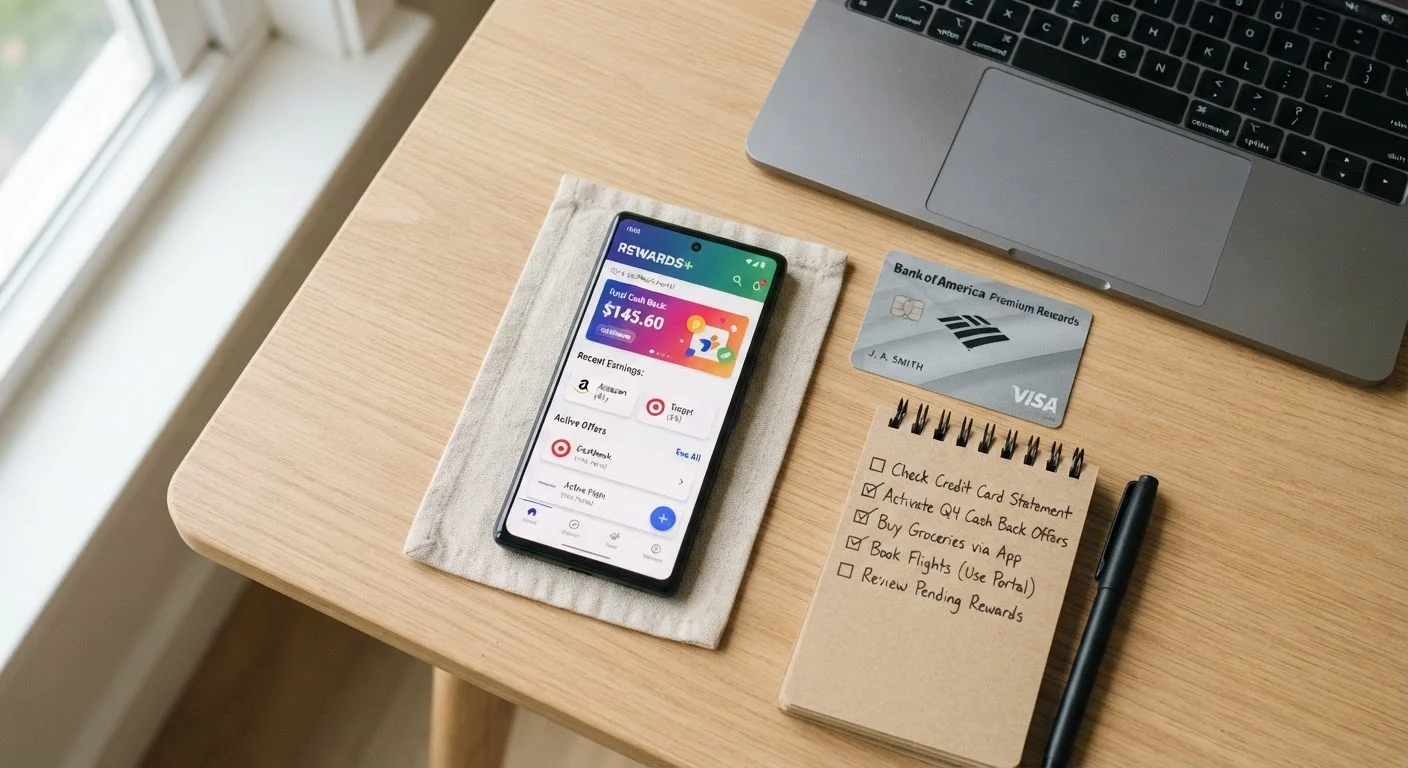
The key insight is this: cashback systems are not passive. They require deliberate activation at every stage, and the rules that govern payout are written to protect the platform, not the user. That's not cynicism - it's just how affiliate revenue models work. Once you understand the structure, you can navigate it efficiently.
The Mistakes That Shrink Your Cashback
Below are the most common errors that quietly erode cashback earnings. These aren't edge cases - they happen to experienced shoppers on routine purchases.
Shopping directly on the retailer's website without clicking through a cashback portal first.
Why it happens: Most shoppers have the retailer bookmarked or go through a Google search, bypassing the portal entirely without realizing it voids cashback eligibility.
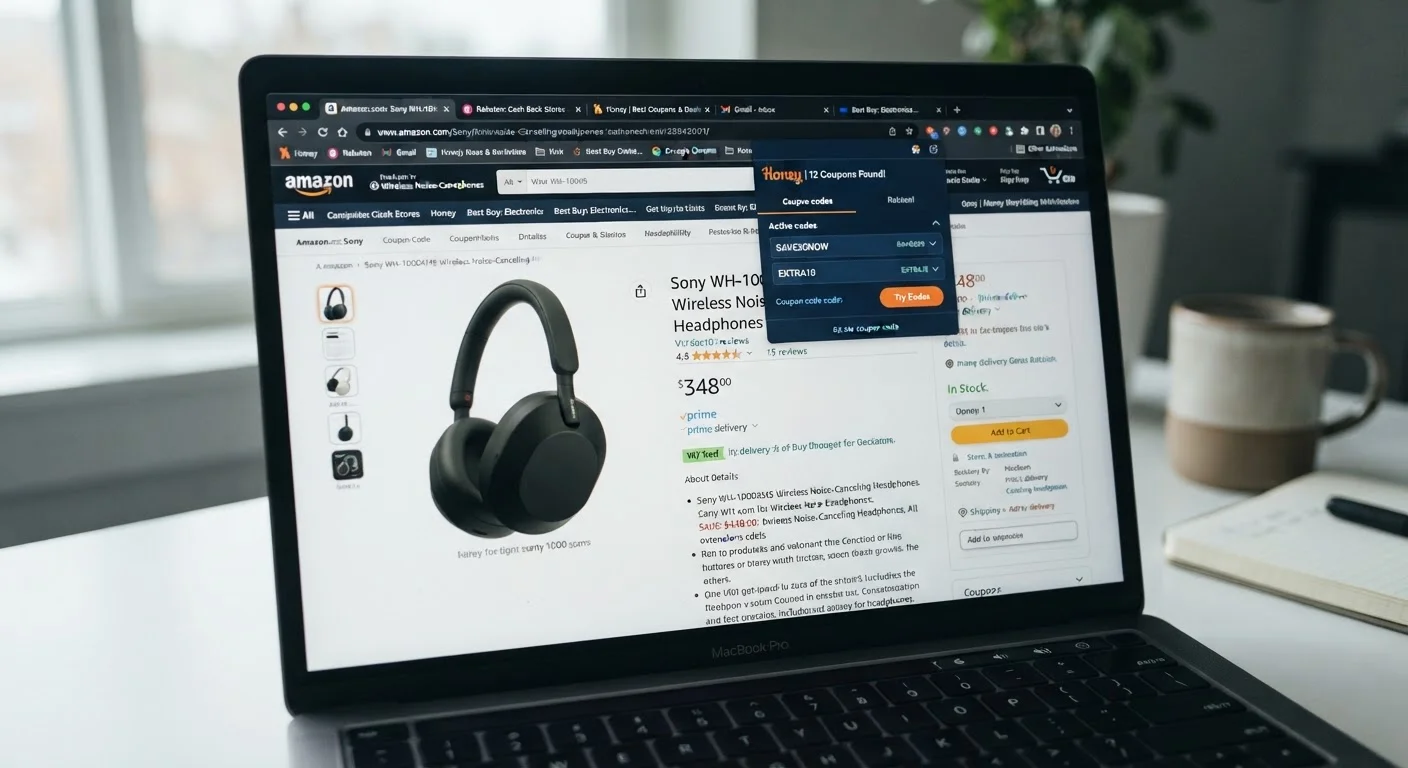
Applying third-party coupon extension codes that overwrite the cashback portal's affiliate cookie.
Why it happens: Browser extensions like Honey or Capital One Shopping auto-apply codes at checkout, which feels like a bonus - but the process often replaces the portal cookie, eliminating the cashback.
Failing to read the offer exclusions before purchasing, then discovering the items bought don't qualify.
Why it happens: Cashback offers are displayed at the category or retailer level, and shoppers assume the rate applies broadly - but exclusions for sale items, electronics, gift cards, or specific brands are common.
Letting cashback balances sit below the minimum payout threshold until they expire.
Why it happens: Many platforms require you to manually request payment, and small balances are easy to ignore. Users forget about accounts they created months ago for a single purchase.
Assuming a credit card's bonus category applies to a purchase it actually doesn't cover.
Why it happens: Bonus categories like 'grocery stores' or 'gas stations' are defined by merchant category codes (MCCs), not by what a store sells. Warehouse clubs, supercenters, and online grocery orders often fall into different MCC buckets.
Missing the cashback tracking window by returning items, then forgetting to account for the reversed cashback.
Why it happens: Shoppers return an item but expect to keep the cashback on the remaining order, or they don't realize that partial returns can reduce or eliminate the cashback on the entire transaction.
Not taking a screenshot or record of the portal session before completing checkout.
Why it happens: Most shoppers trust that tracking will work automatically and don't think to document the session. When cashback fails to post, there's no evidence to support a dispute.
If several of these resonate, you're not alone. Research consistently shows that even frequent cashback users leave a significant percentage of available rewards unclaimed. The good news is that fixing these mistakes doesn't require a major behavioral overhaul - it requires building a short pre-purchase habit. More on that in the next section.
34%
Cashback rewards that go unclaimed annually
According to a 2023 LendingTree study, approximately one-third of earned cashback and credit card rewards are never redeemed by U.S. consumers.
$167
Average annual unredeemed credit card rewards per cardholder
Bankrate's 2023 credit card rewards survey found the average American cardholder leaves $167 in rewards unused each year due to inaction or confusion.
2-15%
Typical cashback portal rate range per retailer
Cashback Monitor data shows portal rates vary widely by retailer and fluctuate during promotional windows, making rate-checking before purchase financially significant.
How Stacking Rules Actually Work - and Where They Break Down
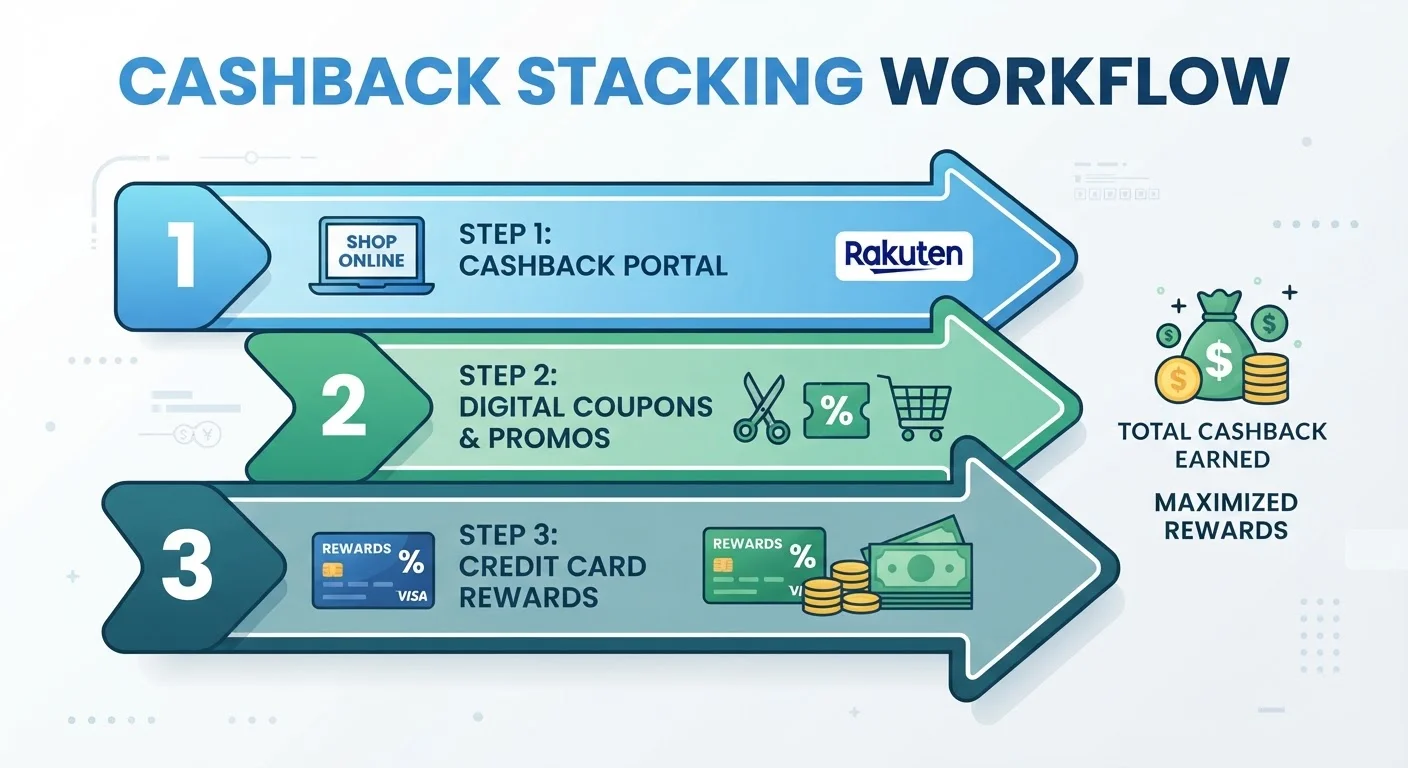
Stacking - combining a cashback portal, a store coupon, a cashback credit card, and a promo code in one transaction - is the gold standard of deal optimization. Done correctly, you can layer 10-25% in total savings on a single purchase. Done incorrectly, you can void the cashback component entirely.
Browser Extensions Can Silently Kill Your Portal Cashback
Extensions that auto-apply coupon codes - including some of the most popular ones - work by inserting their own affiliate tracking at checkout. This process can overwrite the cookie set by your cashback portal, meaning the portal no longer gets credit for your purchase and your cashback is forfeited. Always disable auto-apply extensions before clicking through a cashback portal link.
Sale Items Are Frequently Excluded From Cashback Offers
Many cashback portal offers explicitly exclude items already marked down by the retailer. If you're shopping a sale event expecting both the discount and the cashback, read the offer terms carefully - the two don't always stack. Some portals list specific excluded categories; others have a blanket exclusion on all sale merchandise.
Gift Card Purchases Almost Never Qualify for Cashback
Gift cards are among the most consistently excluded purchase types across both cashback portals and credit card rewards programs. Buying a gift card through a portal is unlikely to earn any cashback, regardless of what the main portal rate displays. This exclusion is standard across the industry and is rarely advertised prominently.
The fundamental rule is that cashback portals track your purchase via an affiliate cookie. When you apply a coupon code from a third party - particularly codes sourced from browser extensions like Honey or Capital One Shopping - that extension may overwrite the portal's affiliate cookie with its own. The merchant still gets the sale, but the cashback portal no longer gets credit for the referral, and your cashback disappears.
The correct stacking sequence is:
- Start at the cashback portal - click through to the retailer from Rakuten, TopCashBack, or whichever portal offers the highest rate.
- Apply store-issued coupon codes only - codes from the retailer's own email list or loyalty program don't interfere with the affiliate cookie.
- Pay with your cashback or rewards credit card - this layer is entirely independent and never conflicts with portal tracking.
- Avoid third-party extension codes - disable browser extensions before clicking through a cashback portal, or use a separate browser profile for portal shopping.
For a deeper comparison of how these tools interact, browser extensions vs. mobile cashback apps breaks down exactly where the savings come from and where conflicts arise.
The other stacking failure point is credit card category mismatches. A card that offers 3% on grocery stores won't trigger that rate at a warehouse club coded as a wholesale retailer, or at an online marketplace coded as general merchandise. If you're relying on bonus categories, verify the merchant's MCC (merchant category code) before assuming your elevated rate applies. Many card issuers publish lists of qualifying merchants - check before checkout, not after.
Payout Thresholds, Expiration, and the Cash You Never Collect
Earned cashback that never gets redeemed is the cleanest form of profit for cashback platforms. Thresholds and expiration dates are the primary mechanisms by which that happens - and they're buried in terms of service most users never read.
Always Document the Portal Click Before Checkout
If cashback doesn't post, your only recourse is a missing cashback claim - and most platforms require proof that you clicked through their portal. Before completing any significant purchase, screenshot the portal's pre-purchase confirmation and your final order confirmation page. Store these in a dedicated folder. Without documentation, disputes are difficult to win and most platforms have strict submission windows, often just 30 days from the transaction date.
Dormant Cashback Balances Can and Do Expire
Most cashback platforms include account inactivity clauses that allow them to expire your balance after 12 months without a qualifying transaction or login. This isn't hypothetical - it's a documented revenue source for platforms. Set a recurring calendar reminder to log into every cashback account you hold at least once per quarter, request any pending payouts, and make a qualifying purchase if your balance is at risk. Treating cashback collection as a passive activity is the single most expensive mistake most users make.
Here's how to audit your current cashback balances across platforms:
- Log in to every portal account you've created - including ones you signed up for once and forgot. Search your email for "cashback," "rewards," and portal names like Rakuten, BeFrugal, Swagbucks, and TopCashBack.
- Check minimum payout thresholds - Rakuten pays out quarterly regardless of balance, which is relatively user-friendly. Other platforms require you to manually request payment and hold minimums of $10-$25.
- Note any balance expiration policies - some platforms expire balances after 12 months of account inactivity. A single purchase resets the clock.
- Set a calendar reminder to request payout on every platform that requires manual redemption. Quarterly works for most users.
The same principle applies to credit card rewards. Points and miles rarely expire if the account stays open, but cashback-as-statement-credit offers sometimes carry redemption windows. Check your card's rewards portal - not just your statement - to see what's pending versus confirmed.
This category of loss is entirely avoidable. It's not the platform's algorithm working against you - it's inertia. Habits that quietly erode your cashback provides a fuller picture of how passive behavior costs real money over time.

Building a Pre-Purchase Routine That Captures Every Layer
The shoppers who consistently collect the most cashback aren't using secret tools - they're running a repeatable process before every significant purchase. Here's a practical version you can implement today:
- Step 1: Check portal rates first
- Before going directly to a retailer, visit a cashback portal comparison tool (like Cashback Monitor) to see which portal offers the highest rate for that merchant right now. Rates shift frequently - sometimes 2-3x during promotional windows.
- Step 2: Verify offer terms in 60 seconds
- Click into the specific offer terms before clicking through. Confirm which product categories qualify, whether sale items are excluded, and whether the rate is a flat percentage or a capped dollar amount.
- Step 3: Disable competing browser extensions
- Before clicking through the portal, pause or disable extensions that apply coupon codes automatically. Re-enable them after purchase if needed.
- Step 4: Use a qualifying store coupon code if available
- Apply only codes from the retailer's own promotions - email signups, loyalty programs, or the retailer's own sale page - to avoid cookie conflicts.
- Step 5: Pay with the right card
- Match the merchant category to your card's highest bonus rate. If in doubt, a flat-rate 2% card is a reliable fallback.
- Step 6: Screenshot the confirmation
- Immediately after checkout, take a screenshot showing the order total, the retailer, and the date. If cashback doesn't post within the tracking window, you'll need this for a dispute claim.
This process takes under two minutes once it's routine. On a $200 purchase, capturing an extra 8% cashback through a portal you almost skipped is $16 - that's real money across a year of regular shopping.
For a systematic look at the mechanics of cashback portals and how to choose between them, the hub covers the landscape of available options. And if you've ever had a transaction fail to track at all, cashback portal mistakes that leave money on the table walks through the dispute and recovery process step by step.
Finally, don't treat cashback in isolation. The same discipline applied to coupons compounds the benefit. Why your coupons aren't saving as much as they should covers the parallel set of mistakes on the coupon side - many of which are fixed by the same pre-purchase habit described above.
Always Document the Portal Click Before Checkout
If cashback doesn't post, your only recourse is a missing cashback claim - and most platforms require proof that you clicked through their portal. Before completing any significant purchase, screenshot the portal's pre-purchase confirmation and your final order confirmation page. Store these in a dedicated folder. Without documentation, disputes are difficult to win and most platforms have strict submission windows, often just 30 days from the transaction date.
Dormant Cashback Balances Can and Do Expire
Most cashback platforms include account inactivity clauses that allow them to expire your balance after 12 months without a qualifying transaction or login. This isn't hypothetical - it's a documented revenue source for platforms. Set a recurring calendar reminder to log into every cashback account you hold at least once per quarter, request any pending payouts, and make a qualifying purchase if your balance is at risk. Treating cashback collection as a passive activity is the single most expensive mistake most users make.