
Getting Started with Free Library Ebooks When You've Never Used One
Never borrowed a digital book before? This guide walks you through getting a library card, choosing an app, and reading your first ebook.
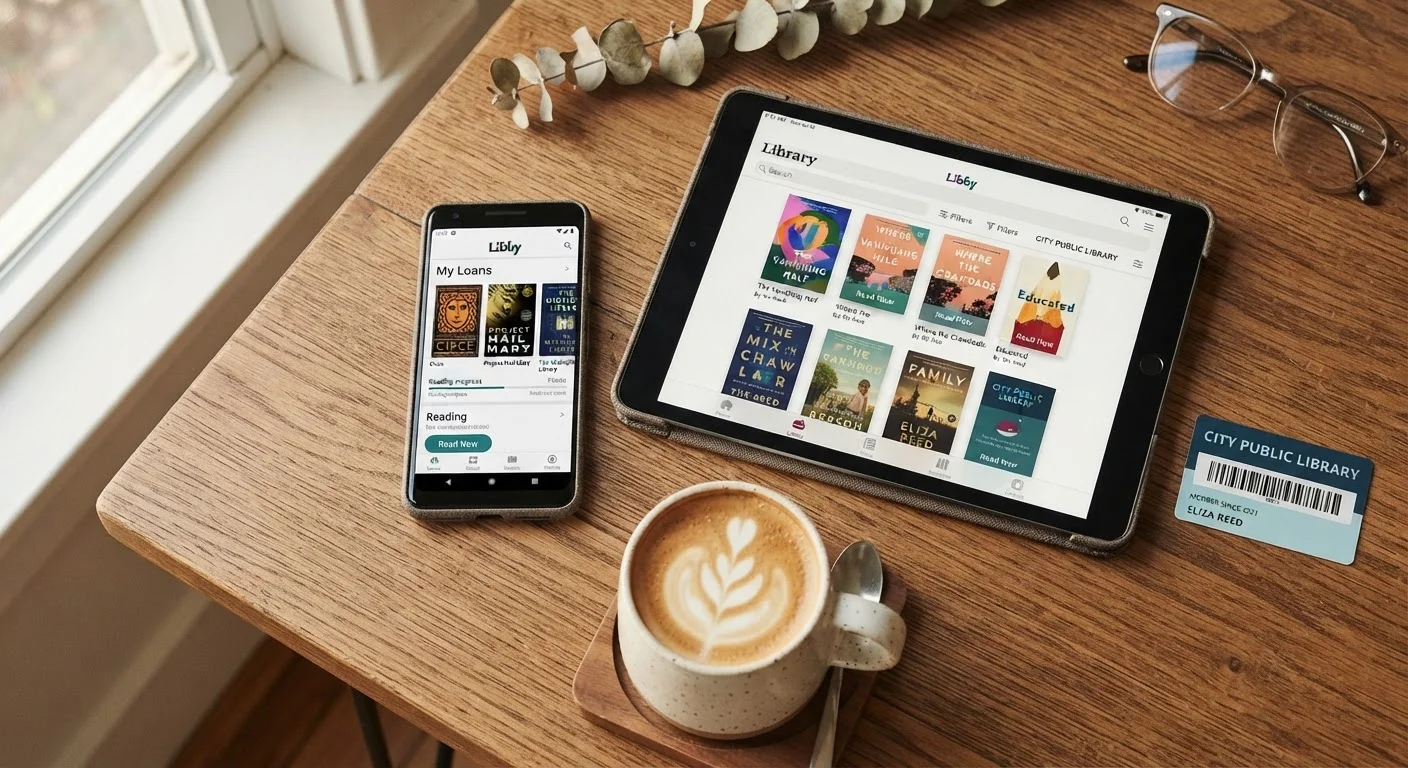
Photo: SaverSteals.com | Explore More. Shop Smarter. editorial
—— In This Article
Key Takeaways
- A library card is the only requirement - no fees, no special hardware, no subscriptions.
- Most US libraries offer digital lending through apps like Libby, accessible on phones, tablets, and Kindles.
- Popular new releases often have waitlists, but backlist titles and classics are usually available immediately.
- Many libraries allow card sign-up online, so you may never need to visit in person.
- Public domain ebooks from sources like Project Gutenberg are always available with no waitlist at all.
What You Actually Need to Get Started
The barrier to borrowing library ebooks is lower than most people assume. You need three things: a valid library card, a device you already own (phone, tablet, or computer), and a free app. That's it. No printer, no physical visit required in many cases, and no paid subscription.
If you've been putting this off because it seemed complicated, it isn't - the process takes most people under 15 minutes from start to first borrowed book. This guide walks through each step. For a broader look at free reading options beyond library apps, see our reference guide to free reading resources.
Digital lending
The process by which a library loans an ebook or audiobook to a patron for a set period, after which access expires automatically.
Library card number
The unique ID on your library card used to log in to digital services - typically a 10-14 digit number printed on the card or provided by email at registration.
Hold (waitlist)
A reservation placed on a digital title that is currently checked out. When a copy becomes available, the library notifies you and temporarily reserves the title for you to borrow.
Public domain
Works whose copyright has expired and are therefore freely available to read, download, and share without restriction. In the US, most works published before 1928 fall into this category.
Borrow limit
A cap on how many ebooks a patron can have checked out at the same time or within a given month, depending on the platform.
Getting a Library Card (Including Online Sign-Up)
Your public library card is the key to everything. If you already have one, skip ahead. If not, check your local library's website - a large and growing number of US library systems allow residents to register online and receive a digital card number immediately, usable the same day.
To register, you'll typically need to provide your name, address, and a valid email. Some systems issue a temporary card number right away and mail a physical card later. If your library requires an in-person visit, it usually takes just a few minutes at the front desk with a photo ID and proof of address.
If you're not sure what your library offers digitally, this overview of library card digital benefits covers the full range of services most cardholders never discover.
Choosing and Installing a Library Ebook App
Most US public libraries distribute digital ebooks through one of a small number of platforms. Libby (operated by OverDrive) is the most widely used and is available for iOS and Android. Some libraries also offer access through Hoopla, which works differently - it has no waitlists and uses a monthly borrow limit instead.
- Libby: Best for current titles and a polished reading experience. Requires a library card and syncs with your library's catalog directly.
- Hoopla: Good for avoiding waitlists. Titles are always available, but the catalog differs from Libby's.
Install the app from your device's app store, open it, and sign in using your library card number. The app will locate your library system automatically once you enter your card details.
Check Whether Your Library Offers Both Apps
Many library systems support both Libby and Hoopla, giving you access to two separate catalogs with one card. Log in to each app with the same library card number to see what's available. Having both installed significantly expands the titles you can access without waiting.
Borrowing and Reading Your First Ebook
Once logged in, browse or search for a title. When you find something available, tap Borrow - the ebook downloads to the app and is ready to read offline. Loan periods are typically 14 or 21 days, after which the book expires automatically with no action needed on your part.
The reading experience inside Libby and Hoopla is clean and functional: adjustable font size, background color options, and a built-in dictionary. For detailed setup instructions specific to Kindle users or those on tablets, see the device-specific setup guide.
If you run into confusion about how library apps work - or have assumptions about free ebooks being low quality - this article addresses the most common misconceptions.
When Titles Are Unavailable: Waitlists and Alternatives
Popular new releases often have waitlists because libraries purchase a limited number of digital licenses per title. If a book shows as On Hold, place the hold - you'll get an email notification when it's ready, and you're not obligated to borrow it immediately.
While waiting, consider a few practical workarounds:
- Check a neighboring library system. If your county library has a long wait, a nearby city library (if you qualify for a card) may have shorter holds.
- Try Hoopla. Its catalog differs from Libby's, and many titles available on one platform aren't on the other.
- Explore public domain titles. Books published before 1928 are generally in the public domain and available immediately with no waitlist through sources like Project Gutenberg. See how Project Gutenberg fits into a free reading strategy.
For a more complete approach to building a reading life without spending money, this guide on combining library apps with open-access sources is a useful next step.
Frequently Asked Questions
Books Editorial Team
Books Editorial Team is the collective byline for our editorial team and contributor network. Articles published under this byline or an editorial pen name are researched, written, and reviewed according to our editorial standards for clarity, consistency, and independence before publication.
View author profile