

Key Takeaways
Our Verdict
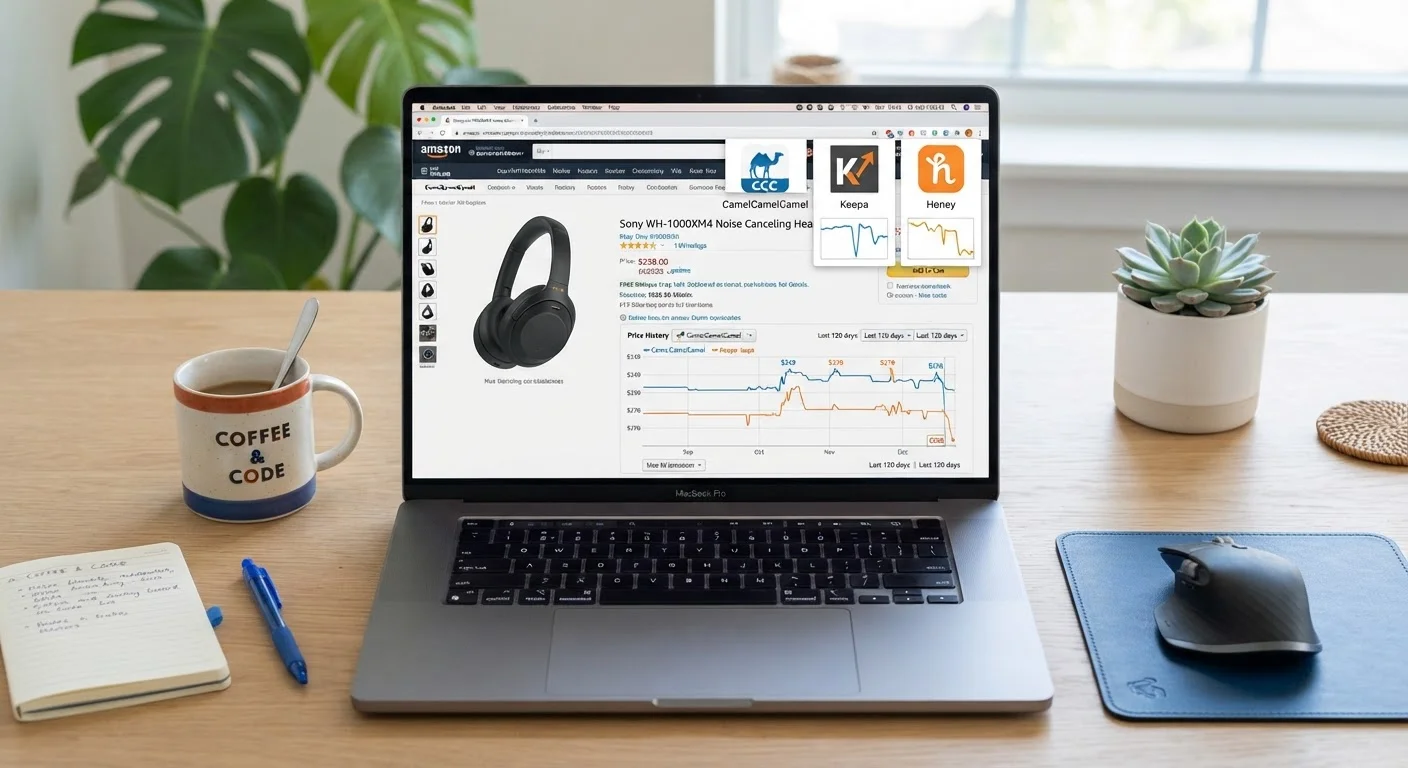
For pure price-tracking depth on Amazon, Keepa wins - nothing matches its historical data granularity or seller-level visibility. CamelCamelCamel is the best no-friction choice for casual Amazon shoppers who want reliable alerts without a learning curve. Honey is the right pick if you shop across dozens of retailers and want coupon automation bundled into the same tool, even though its price history lags behind the other two.
| Best for | Recommended |
|---|---|
| Dedicated Amazon shoppers who want serious historical data | Keepa |
| Casual Amazon buyers who want simple, reliable price alerts | CamelCamelCamel |
| Multi-retailer shoppers who prioritize coupon stacking at checkout | Honey |
| Resellers, deal hunters, and data-driven buyers | Keepa |
Why Price Tracking Is a System, Not a Shortcut
Waiting for a sale is guesswork. Tracking prices is a system. The difference is that a system tells you when a product is genuinely cheaper than its historical average - not just cheaper than the inflated anchor price a retailer set last Tuesday before marking it "on sale."
Amazon in particular is notorious for price volatility. A product might cycle between $34 and $58 within a single month. Without a price history chart, you have no way to know whether today's $44 listing is a deal or a rip-off. That's where dedicated trackers pay off.
The three tools covered here - CamelCamelCamel, Honey, and Keepa - approach that problem differently. Understanding what each one actually tracks, how its alerts work, and where it falls short will help you pick the right tool for your shopping habits. And as you'll see, the best setup for most shoppers isn't a single tool - it's a deliberate combination. See the Price Tracking Tools hub for a broader look at how these fit into a full shopping system.
CamelCamelCamel: The Reliable Amazon Specialist
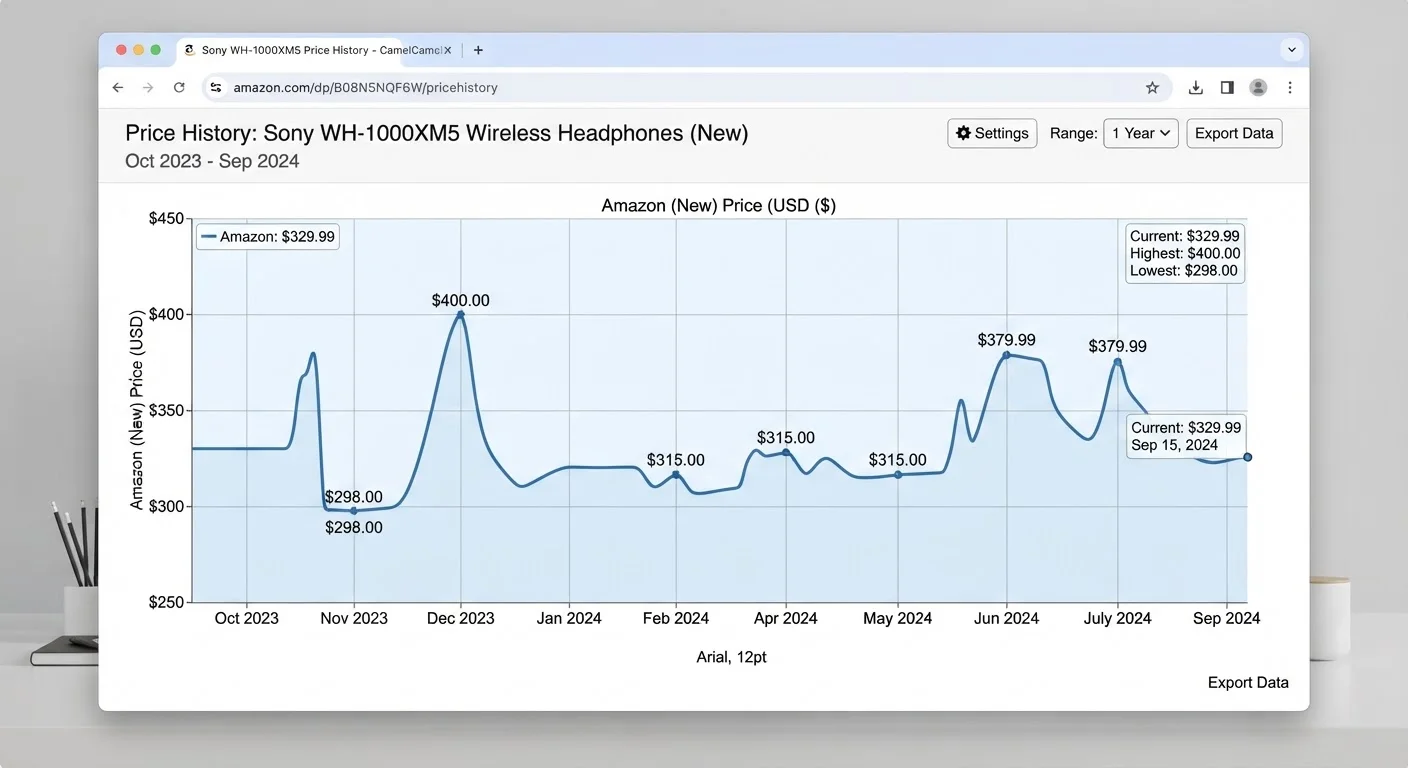
CamelCamelCamel has been tracking Amazon prices since 2008, which gives it one of the longest price history datasets available for free. The site tracks Amazon's own price, third-party marketplace prices, and used prices separately - a distinction that matters when you're comparing true all-in costs.
How It Works
You can use CamelCamelCamel in two ways: visit the website and paste an Amazon product URL, or install the Camelizer browser extension, which overlays a price history chart directly on any Amazon product page. The chart is clean, zoomable, and lets you toggle between Amazon, third-party new, and used price lines.
Alert System
Alerts are CamelCamelCamel's standout feature. You set a target price for a specific product, and the tool emails you when the price hits or drops below that threshold. You can configure alerts for Amazon's price, marketplace sellers, or both. The alert emails are plain and functional - they include the current price, your target, and a direct link to the product.
Where It Falls Short
CamelCamelCamel only tracks Amazon. If you shop across multiple retailers, you'll get zero coverage on Best Buy, Target, or Walmart listings. The interface is also dated - functional, but not polished. And while the historical data is deep, it doesn't include sales rank history or stock level data, which limits its usefulness for resellers.
Set Target Prices at Historical Lows
When setting alerts in CamelCamelCamel or Keepa, look at the 1-year price chart and target the actual historical low - not an arbitrary round number. If a product has hit $34 twice in the past year and is currently $52, set your alert at $36 to catch the next dip with a small buffer. This approach cuts notification noise and ensures you only act on genuinely favorable prices.
Stack Tools Without Overlap
Run Keepa or CamelCamelCamel for price research and alert setup, then activate Honey only at checkout to capture any available coupons. Each tool handles a distinct stage of the purchase decision, so running all three simultaneously creates no friction and no redundancy. The combined workflow takes under two minutes per purchase.
If you want to refine how you manage the alerts CamelCamelCamel sends, see how to set smarter price alert thresholds without drowning in notifications.
Honey: The Checkout-First Tool with Price History on the Side
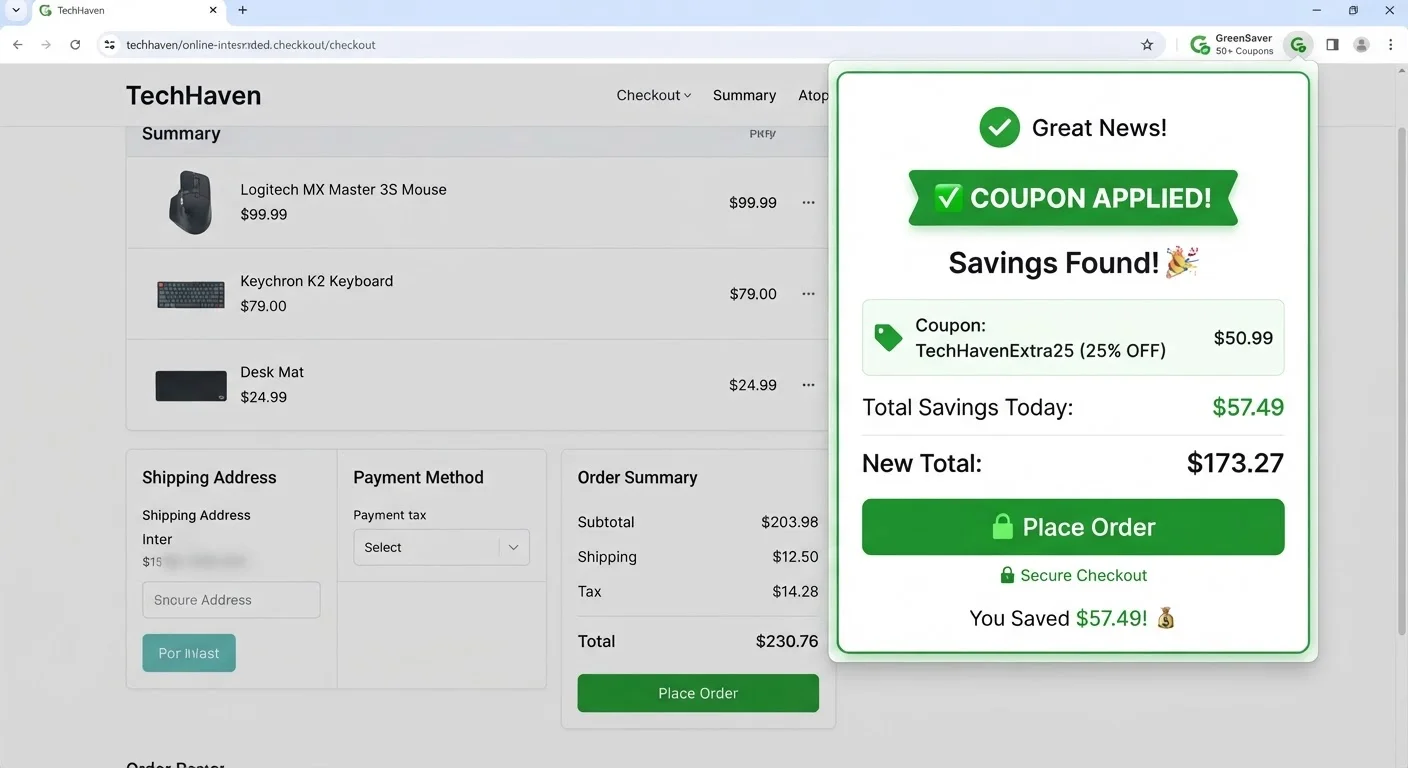
Honey - now owned by PayPal - built its reputation as a coupon-automation tool. When you reach checkout on a supported retailer, the extension automatically tests available coupon codes and applies the best one. That core function works well across thousands of retailers. Price tracking is a secondary feature, but it's worth understanding what it does and doesn't do.
How It Works
Honey's price tracking feature, called Droplist, lets you add products from supported retailers to a watchlist. When the price drops on a watched item, Honey sends you an email notification. You can also view a limited price history graph on Amazon and some other retailers directly from the extension popup.
Alert System
Droplist alerts are simpler than CamelCamelCamel's - you add an item and get notified when the price drops, but you can't set a specific target price threshold. That lack of control is a meaningful limitation. You might get pinged when a $200 item drops to $198, which isn't worth your attention. Setting up price drop alerts that actually work requires more specificity than Honey currently offers.
The Honey Gold Angle
Honey layers in a rewards program called Honey Gold, which converts to PayPal cash. It's a nice bonus, but the earn rates are generally low and inconsistent across retailers. For a full comparison of how Honey Gold stacks up against dedicated cashback portals, see our cashback portal comparison.
Where It Falls Short
Honey's price history data is shallower than CamelCamelCamel or Keepa, and its retailer coverage for price tracking is inconsistent - some retailers show no history at all. There are also documented privacy concerns about Honey collecting browsing and purchase data; if data minimization matters to you, that's a real consideration. See how Honey compares to other browser extensions on privacy and savings for more detail.
Honey's Data Collection Is Broad
Honey collects browsing behavior, product views, and purchase data through its extension - a trade-off that isn't always obvious at install time. PayPal uses this data for ad targeting and analytics. If you're privacy-conscious, read Honey's data policy before installing. Alternatives like CamelCamelCamel and Keepa collect significantly less behavioral data.
Don't Trust Inflated 'Was' Prices
A product listed as '50% off' means nothing without verifying the price history. Retailers regularly inflate reference prices before a sale event to make discounts look deeper than they are. Always pull up a CamelCamelCamel or Keepa chart before accepting any claimed discount at face value - especially during major sale events like Prime Day or Black Friday.
Keepa: The Power User's Price Intelligence Engine
Keepa is in a different category from the other two - it's less of a price alert tool and more of a price intelligence platform. If CamelCamelCamel is a reliable sedan and Honey is a Swiss Army knife, Keepa is a dashcam, OBD scanner, and GPS rolled into one.
How It Works
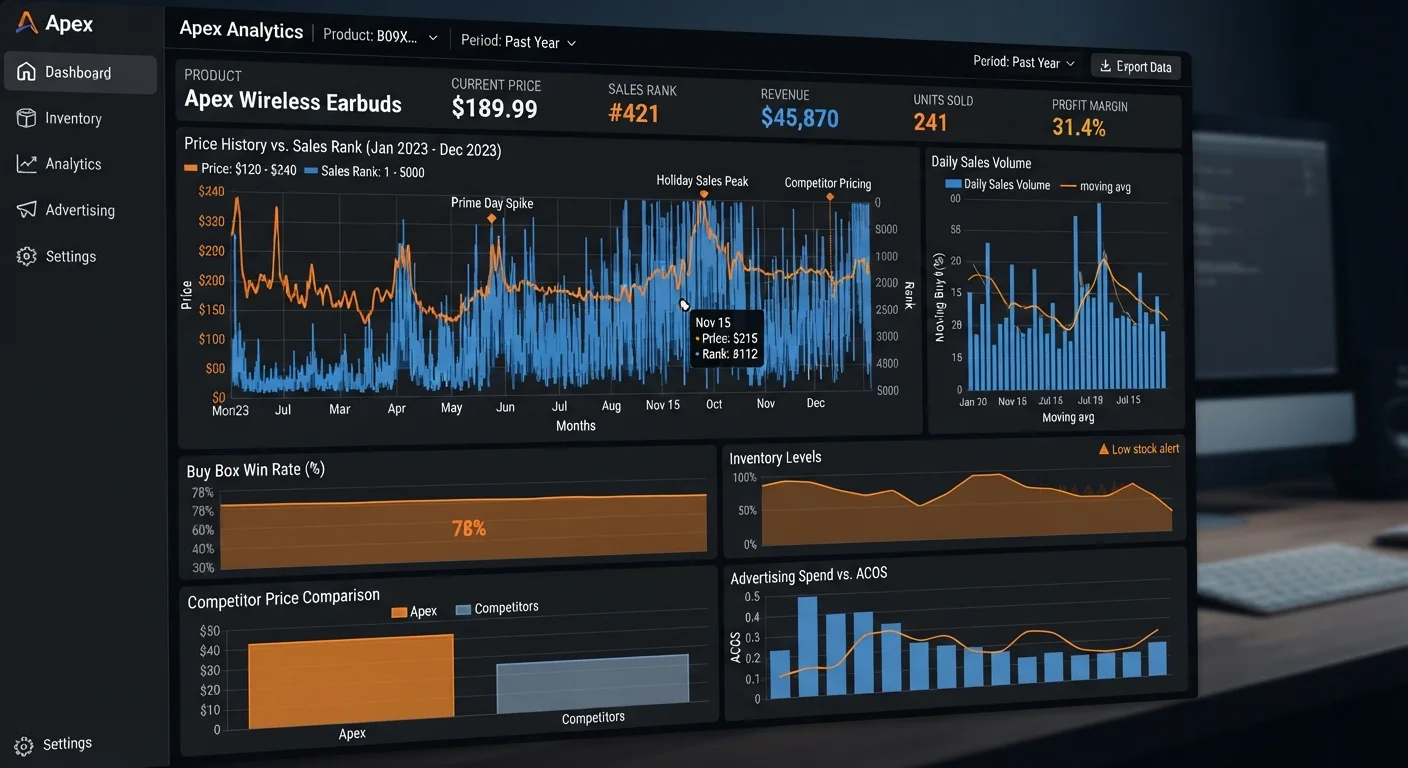
Keepa integrates directly into Amazon product pages via its browser extension, overlaying a rich interactive chart that includes:
- Amazon price history
- Third-party new and used seller prices
- Sales rank history (a proxy for demand)
- Buybox price fluctuations
- Stock level drops (indicating potential price increases)
- Lightning Deal and coupon history
The chart is dense but navigable once you know what you're looking at. Keepa also maintains a searchable product database you can filter by price drop percentage, category, sales rank, and more - useful for deal hunting at scale.
Alert System
Keepa's alerts are the most configurable of the three. You can set alerts by price threshold, price drop percentage, sales rank change, or back-in-stock events. Alerts can be delivered by email or browser notification. The granularity is significant: you can tell Keepa to notify you only when the Amazon-fulfilled price (not marketplace) drops below a target - a distinction CamelCamelCamel doesn't offer.
The Cost Factor
Keepa's basic extension and product charts are free. However, the full data suite - including price history downloads, the product database search, and API access - requires a subscription, currently around $19/month or €18/month. For serious resellers or data-driven shoppers tracking dozens of products, that's reasonable. For casual buyers, it's unnecessary.
Where It Falls Short
Keepa is Amazon-only, and its interface has a steep learning curve. New users often find the charts overwhelming. It also doesn't include any coupon or cashback features - it's purely a data and alert platform.
Head-to-Head Comparison
Here's how the three tools stack up across the dimensions that matter most for real purchasing decisions:
| CamelCamelCamel | Honey | Keepa | |
|---|---|---|---|
| Retailer Coverage | Amazon only | 1,000+ retailers | Amazon only |
| Price History Depth | Years of Amazon data | Shallow, inconsistent | Deepest Amazon data available |
| Alert Customization | Target price threshold | Drop notification only | Price, %, rank, stock alerts |
| Coupon Automation | None | Yes - core feature | None |
| Sales Rank Tracking | No | No | Yes |
| Cost | Free | Free | Free basic; ~$19/mo full data |
| Browser Extension | Camelizer - clean overlay | Full-featured popup | Dense, data-rich overlay |
| Learning Curve | Low | Very low | High |
| Privacy Considerations | Minimal data collection | Broad behavioral data collected | Minimal data collection |
| Best Use Case | Amazon alert setup | Checkout coupon capture | Deep Amazon price research |
2.5M+
Products tracked by Keepa
Keepa's database covers over 2.5 million Amazon products with continuous price and rank monitoring across major Amazon marketplaces.
30%
Average Amazon price swing on electronics
Analysis of CamelCamelCamel data shows electronics categories frequently fluctuate 20-30% within a 90-day window, making timing critical.
$126
Average annual savings per Honey user (PayPal claim)
PayPal reported that active Honey users saved an average of $126 per year through coupon automation and cashback rewards as of 2023.
1,000+
Retailers in Honey's coupon network
Honey's browser extension supports coupon code testing across more than 1,000 online retailers, far exceeding the Amazon-only coverage of its competitors.
How to Stack These Tools for Maximum Savings
The smartest approach isn't picking one tool - it's using each one where it excels. Here's a practical workflow:
- Research phase: Use Keepa (or CamelCamelCamel if you're not paying for Keepa) to pull up the full price history before you decide anything. Look at the 90-day and 1-year charts to understand the product's true price floor and how often it hits it.
- Alert setup: Set a CamelCamelCamel alert at or near the historical price low. If you want tighter control (e.g., Amazon-fulfilled only), use Keepa's alert system instead.
- Checkout: When your alert fires and you're ready to buy, run the Honey extension at checkout to catch any active coupon codes. Even on Amazon, Honey occasionally surfaces Subscribe & Save or promo codes that shave a few dollars off.
- Cashback layer: Before completing the purchase, activate a cashback portal if one is available for that retailer. That step is separate from price tracking but compounds your savings.
This four-step system covers price timing, alert precision, coupon capture, and cashback stacking - independent levers that each add a small percentage to your total savings. Over a year of purchases, the compounding effect is meaningful.
Set Target Prices at Historical Lows
When setting alerts in CamelCamelCamel or Keepa, look at the 1-year price chart and target the actual historical low - not an arbitrary round number. If a product has hit $34 twice in the past year and is currently $52, set your alert at $36 to catch the next dip with a small buffer. This approach cuts notification noise and ensures you only act on genuinely favorable prices.
Stack Tools Without Overlap
Run Keepa or CamelCamelCamel for price research and alert setup, then activate Honey only at checkout to capture any available coupons. Each tool handles a distinct stage of the purchase decision, so running all three simultaneously creates no friction and no redundancy. The combined workflow takes under two minutes per purchase.
For the alert management side of that workflow, the guide on managing price drop alerts without notification overload walks through how to set thresholds that filter out noise and surface only genuine deals.
Which Tool Fits Your Shopping Habits
The right pick depends on how you shop, not which tool has the most features:
- You buy mostly on Amazon, want no learning curve
- Use CamelCamelCamel. Install the Camelizer extension, set alerts with a target price, and let it run. No subscription, no complexity.
- You shop across many retailers and want coupon automation at checkout
- Use Honey as your primary tool. Add Droplist alerts for items you're watching, but don't rely on it as your sole price history source for big purchases - cross-check with CamelCamelCamel or Keepa before committing.
- You're a deal hunter, reseller, or data-driven buyer tracking many products
- Use Keepa. The investment in learning the interface pays off quickly once you can see sales rank patterns, buybox shifts, and lightning deal history on one chart. The paid tier is worth it if you're tracking more than a handful of products.
- You want the best of all three without paying
- Install all three free tiers. Use Keepa's free charts for research, CamelCamelCamel for alerts, and Honey for checkout coupons. The overlap is minimal and the combined coverage is better than any single tool.
For a broader look at how price tracking fits into platform-level strategy - including which marketplaces are most worth tracking - see the Marketplace Comparisons hub.
Honey's Data Collection Is Broad
Honey collects browsing behavior, product views, and purchase data through its extension - a trade-off that isn't always obvious at install time. PayPal uses this data for ad targeting and analytics. If you're privacy-conscious, read Honey's data policy before installing. Alternatives like CamelCamelCamel and Keepa collect significantly less behavioral data.
Don't Trust Inflated 'Was' Prices
A product listed as '50% off' means nothing without verifying the price history. Retailers regularly inflate reference prices before a sale event to make discounts look deeper than they are. Always pull up a CamelCamelCamel or Keepa chart before accepting any claimed discount at face value - especially during major sale events like Prime Day or Black Friday.