
Everything You Need to Know Before Buying Refurbished Tech
An end-to-end guide covering grading systems, safe sources, warranty rights, and how to inspect a refurbished device on arrival.
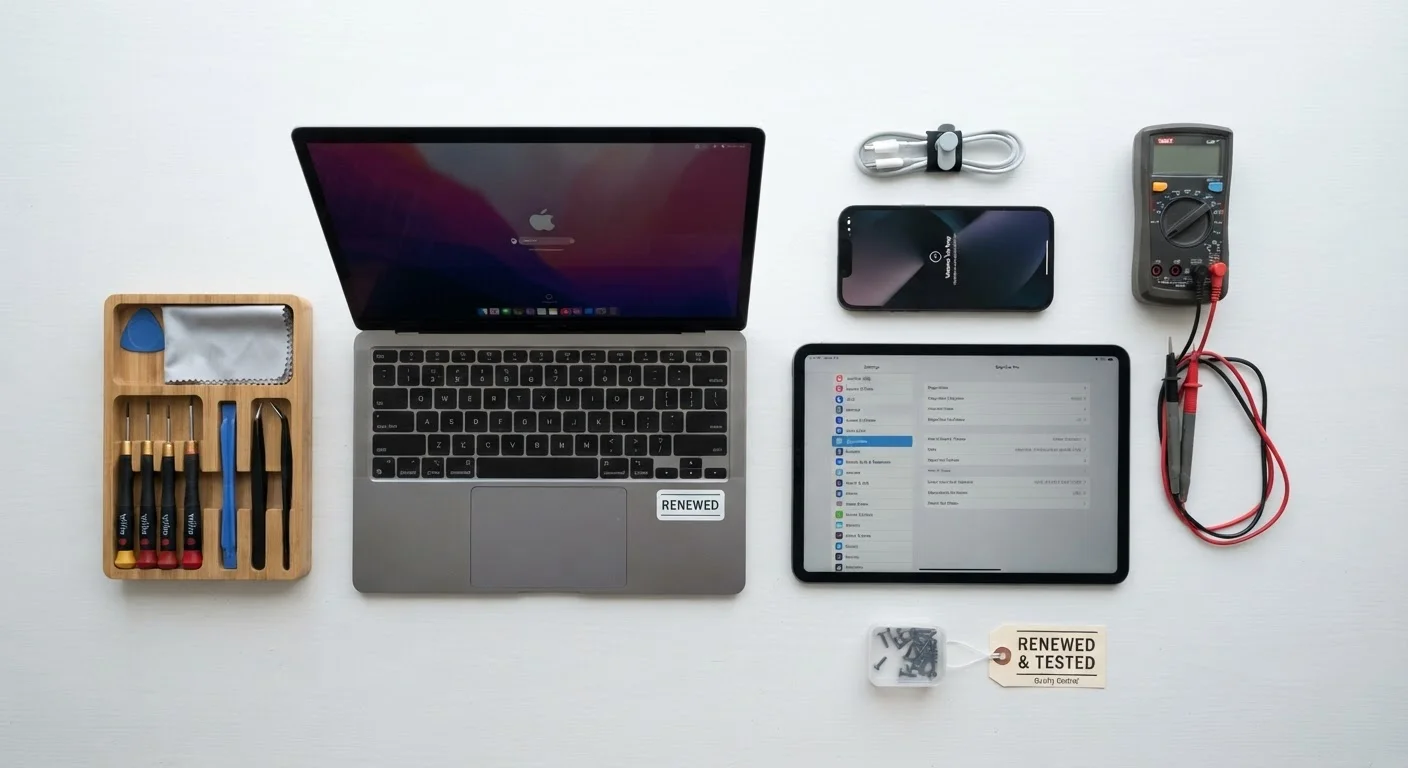
Photo: SaverSteals.com | Explore More. Shop Smarter. editorial
—— In This Article
Key Takeaways
- Grading labels vary by seller - always read the definition, not just the letter or number.
- Manufacturer-certified refurbished programs generally offer the strongest warranty protections.
- Inspect every port, pixel, and software setting within your return window, without exception.
- A device sold as refurbished must meet FTC disclosure standards in the US, but enforcement varies.
- Registering your warranty immediately after arrival is one of the most protective steps you can take.
What 'Refurbished' Actually Means
The word refurbished covers a wide spectrum. At minimum, a refurbished device has been returned, inspected, and resold. At best, it has been fully disassembled, tested against factory specifications, fitted with replacement parts where needed, and certified by the original manufacturer. Understanding where on that spectrum a given listing falls is the entire game.
Devices end up refurbished for many reasons: a customer changed their mind, a retailer received overstock, or a unit failed initial quality control and was repaired before resale. None of these origins is inherently problematic - but they do produce different quality outcomes. A primer on refurbished basics can help orient you if you're approaching this category for the first time.
Key distinction: refurbished is not the same as used. Used devices are typically sold as-is with no testing or warranty. Refurbished devices, in most legitimate programs, have passed at least a functional inspection. The gap between those two categories matters significantly for reliability expectations.
Understanding Grading Systems
No universal grading standard exists for consumer electronics in the US. Each retailer, marketplace, and manufacturer defines grades independently. Common labels include A, B, and C tiers - or descriptors like "Like New," "Good," and "Fair" - but the actual condition those labels represent differs across sellers.
~15%
Typical discount vs. new retail price
Industry estimates suggest refurbished electronics commonly sell at discounts ranging from 15% to 50% below new retail, depending on grade and category.
No standard
US grading system for refurbished electronics
Unlike some sectors, the US consumer electronics industry has no federally mandated grading standard - definitions are set independently by each seller.
90 days
Minimum warranty on certified refurbished devices
Many manufacturer-certified refurbishment programs provide at least a 90-day limited warranty, though coverage terms vary significantly by program.
Grade A or "Like New" typically means minimal cosmetic wear with full functionality. Grade B usually indicates visible scratches or scuffs but no functional defects. Grade C often signals heavier cosmetic damage and may include repaired components. What one platform calls Grade B, another may call Grade C - always read the condition description in full, not just the label.
For a detailed breakdown of how grading scales map across major program types, the complete buyer's reference provides a useful side-by-side comparison of terminology and what each tier typically covers.
Before purchasing, search the seller's name alongside 'grading criteria' or 'condition definitions' - reputable programs publish these explicitly, often in a help center or FAQ.
Sellers who define their grades transparently are far less likely to ship devices that don't match their listings, making this a fast, reliable quality filter.
If a listing shows a price that seems dramatically lower than all comparable refurbished units, treat that as a signal to investigate the seller's return policy and feedback history before buying.
Outlier pricing in refurbished markets often reflects either undisclosed damage, a missing accessory, or a seller with limited accountability - all of which are avoidable with a brief pre-purchase review.
Where to Source Refurbished Devices Safely
Source quality is the single strongest predictor of a satisfying refurbished purchase. Broadly, sourcing channels fall into three tiers:
- Manufacturer-certified programs - Devices refurbished by or under direct authorization from the original manufacturer. These typically carry the most rigorous testing standards and the strongest warranty coverage.
- Retailer-certified programs - Major electronics retailers that operate their own refurbishment or inspection processes. Standards vary, but established retailers generally maintain documented processes and return policies.
- Third-party marketplace sellers - Independent resellers operating on open marketplaces. Quality and reliability vary dramatically. Look for sellers with high feedback volume, explicit return policies, and clear grading definitions.
Avoid listings that use vague language like "tested and working" without specifying what was tested, or that offer no return window. The absence of a return policy is a reliable warning sign regardless of price.
Warranty Rights and Return Policies
In the US, the Magnuson-Moss Warranty Act requires that written warranties be made available before purchase. Refurbished devices are not automatically excluded from warranty coverage - manufacturer-certified programs often include 90-day to one-year limited warranties comparable to new-product coverage.
When evaluating a warranty, look for three things: duration (how long it lasts), scope (what defects it covers), and service method (mail-in, depot, or carry-in repair). A 90-day warranty that covers all functional defects is substantially more valuable than a one-year warranty that only covers the battery.
Return windows are equally important. Most reputable programs offer at least a 15-day return period; many offer 30 days. Use that window actively - not as a fallback. Confirm whether return shipping costs are covered and whether restocking fees apply before you purchase.
For device-specific guidance, the refurbished laptop walkthrough covers how to evaluate warranty terms in the context of a specific product category.
Inspecting Your Device on Arrival
The moment your device arrives, your return clock starts. Treat the first 24 to 48 hours as a structured inspection period, not a casual unboxing. A methodical check now prevents disputes later.
- Physical inspection: Examine every surface under good lighting. Note scratches, dents, or cosmetic damage that wasn't disclosed in the listing.
- Screen test: Display a solid white image, then solid black, to check for dead pixels, backlight bleed, or discoloration.
- Port and button test: Plug something into every port. Press every button. Test speakers, microphone, and camera if applicable.
- Battery health: On most devices, battery health is accessible through settings or a built-in diagnostic. A refurbished device should ideally show 80% or higher battery capacity unless the listing explicitly disclosed otherwise.
- Software check: Confirm the device has been factory reset with no residual accounts, data, or software from a prior owner. Activate your warranty immediately.
For a complete checklist covering all device types, see what to check when your device arrives.
After the Purchase: Protecting Your Investment
Once you've confirmed the device meets expectations, a few deliberate steps significantly extend its useful life and protect your coverage.
Register the warranty with the seller or manufacturer on day one - some programs require registration within a fixed window to activate coverage. Run a full diagnostic if the device supports it; built-in hardware diagnostics can surface issues that aren't immediately apparent during casual use.
Consider a protective case, particularly for portable devices, and review whether your existing insurance policies (renters, homeowners) cover personal electronics. Extended protection plans are available from some sellers, though their value depends heavily on the coverage terms and your device's expected use pattern.
Maintaining the device carefully - keeping software updated, avoiding extreme temperatures, and managing battery charge cycles - is one of the most cost-effective ways to preserve both performance and resale value. For a structured post-purchase routine, maximizing your refurbished purchase outlines the practical habits worth building from the start.
This article is for informational purposes only. Warranty terms, grading standards, and consumer protection rules are subject to change; verify details directly with your seller before purchase.

Electronics Editorial Team
Electronics Editorial Team is the collective byline for our editorial team and contributor network. Articles published under this byline or an editorial pen name are researched, written, and reviewed according to our editorial standards for clarity, consistency, and independence before publication.
View author profile