
Reading a Tool Coupon Without Getting Caught Out
Exclusions, expiry dates, and stacking rules determine whether a coupon is actually useful. Learn what to look for before heading to the store.
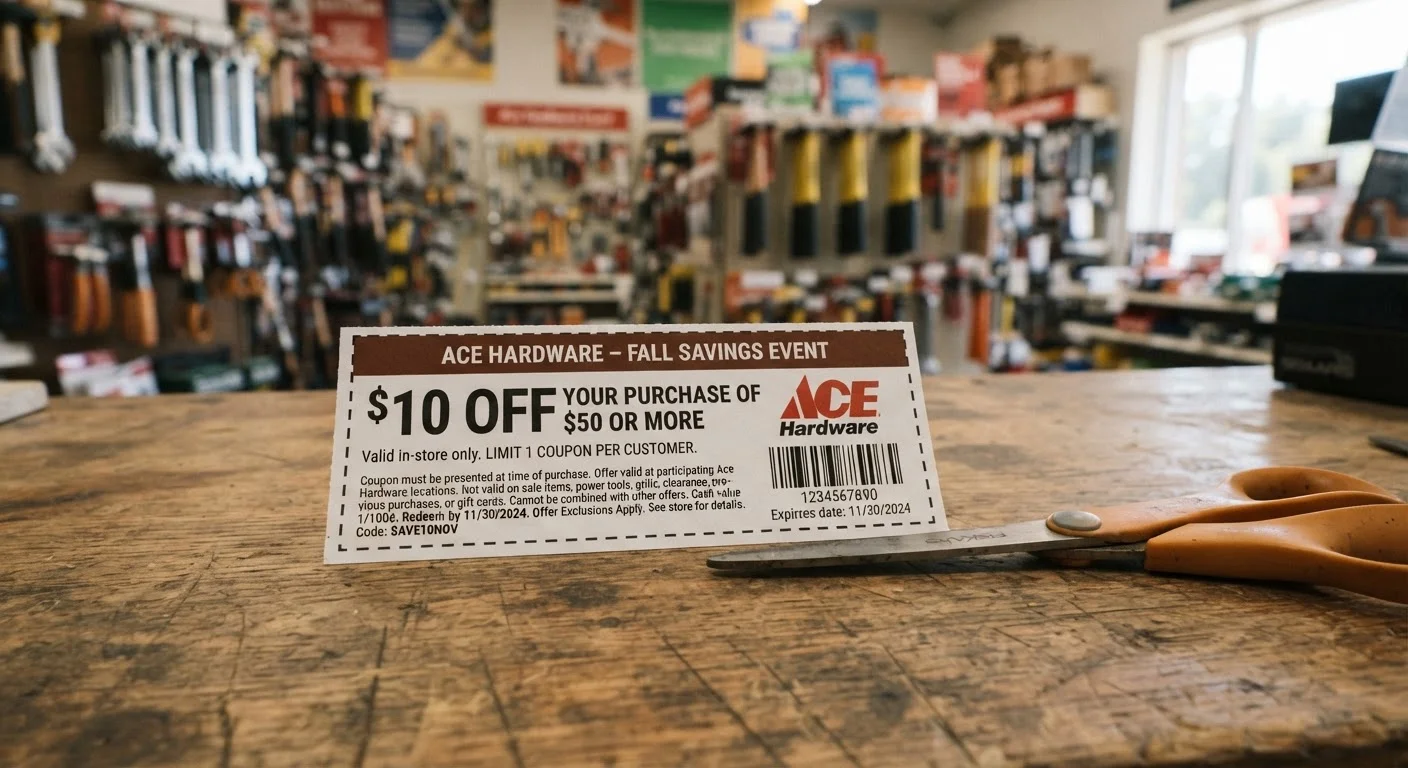
Photo: SaverSteals.com | Explore More. Shop Smarter. editorial
—— In This Article
Key Takeaways
- Exclusion lists often cover the most popular or newly released tool categories.
- Expiry dates may include time-of-day cutoffs that trip up last-minute shoppers.
- Stacking rules vary by retailer and can silently void one of your discounts at checkout.
- Minimum purchase thresholds are calculated before tax unless the coupon states otherwise.
- One-per-transaction limits apply per coupon code, not per shopping visit.
Why Tool Coupons Require More Scrutiny Than Most
Tool and hardware coupons carry more layers of fine print than coupons in many other retail categories. The product range is wide — hand tools, power tools, safety gear, fasteners, finishes — and retailers use exclusion lists to protect their highest-margin or most-stocked categories from blanket discounting. A coupon that looks like a straightforward 20% off can, in practice, apply to a narrow slice of the store's inventory.
The same discipline applies across retail categories. Shoppers who've worked through a pre-redemption checklist for beauty coupons will recognize the pattern: the headline discount rarely tells the full story. In tools, the stakes can be higher because individual items cost more, making a misread coupon a more expensive mistake.
Exclusions Can Void Your Entire Discount
If even one item in your cart falls under an excluded category, some retailers will void the entire coupon rather than applying it to eligible items only. Read the exclusion list before adding items to your cart, not after. When in doubt, call the store's customer service line or check the full terms on the retailer's website before checkout.
Understanding the structure of these offers before you shop — rather than at the register — is the most reliable way to avoid disappointment. The steps below walk through each element of a tool coupon in the order you should evaluate it.
What to Read, in What Order
What you will need
Retailer website or app
Used to access the full terms and conditions of any digital or printed coupon.
Calculator or phone
Used to verify that your cart meets any minimum purchase threshold before applying the coupon.
Screenshot or photo tool
Used to capture coupon terms before the offer page changes or expires.
Locate and read the full terms and conditions
Don't rely on the headline discount alone. Find the complete terms — usually a small-print block at the bottom of the coupon, a linked page in a promotional email, or a dedicated section in the retailer's app. Look for a phrase like "see full terms" or "restrictions apply" and follow it.
Check the exclusion list against your intended purchases
Exclusion lists in tool coupons frequently cover power tools, pneumatic tools, certain brand lines, clearance items, and recently released products. Cross-reference every item on your shopping list against the exclusion language. Phrases like "excludes all power tools" or "does not apply to items already on sale" are common and consequential.
Stacking rules and exclusion language interact in ways that catch many shoppers off guard — understand both before proceeding.
Confirm the exact expiry date and time
Note the expiry date and look for any time-of-day cutoff. Some coupons expire at midnight, others at store closing, and promotional email codes sometimes deactivate server-side at noon. If the coupon is for in-store use, verify the cutoff with staff on the day you plan to shop.
Verify the minimum purchase threshold calculation
Many coupons require a minimum cart value — commonly expressed as "minimum purchase of $X before tax." Confirm whether the threshold is calculated before or after tax, and whether excluded items count toward it. In most cases, excluded products do not count toward the minimum, which can push your qualifying total below the required amount.
Review stacking and one-per-transaction rules
Stacking means applying more than one discount to a single transaction. Tool retailers vary widely on this: some allow a store coupon alongside a manufacturer coupon; others prohibit combining any two offers. Look for language like "one coupon per transaction," "cannot be combined with other offers," or "one per customer per day."
For a deeper breakdown of how these rules play out in practice, see common coupon stacking misunderstandings that regularly cost shoppers money.
Test the coupon or code before finalizing your trip
For online purchases, add your items to the cart and apply the code before entering payment information — confirm the discount registers correctly and matches the amount you expected. For in-store use, ask a staff member to verify the coupon is active on your target items before you reach the register with a full cart.
Expiry Cutoffs Are Stricter Than They Look
"Valid through [date]" often means the coupon expires at 11:59 p.m. on that date — but some retailers set the cutoff at store closing time or even noon. If you're redeeming in-store near the expiry date, confirm the exact cutoff with a staff member before you queue up.
Screenshot the Full Terms Before You Shop
Coupon landing pages sometimes update their terms after the offer launches. Taking a screenshot of the full terms and conditions when you first find the coupon gives you a reference point if the details change or the page goes offline before you redeem.
Once you've worked through these checks and confirmed your coupon applies to your intended purchases, you're positioned to use it without surprises. If you find the coupon doesn't cover what you need, it may be worth considering other avenues — buying quality secondhand tools is one approach that doesn't depend on coupon availability at all.
The rules described here apply primarily to single-coupon scenarios. If you're attempting to combine offers, the complexity increases. Stacking logic in clothing retail follows a comparable pattern — see how stacking and exclusions work in clothing promo codes for a parallel reference that reinforces the same reading habits.

Tools Editorial Team
Tools Editorial Team is the collective byline for our editorial team and contributor network. Articles published under this byline or an editorial pen name are researched, written, and reviewed according to our editorial standards for clarity, consistency, and independence before publication.
View author profile