
How to Read a Refurbished Electronics Listing Without Being Misled
Listing language can obscure more than it reveals. Learn what each term, grade, and condition description actually signals.
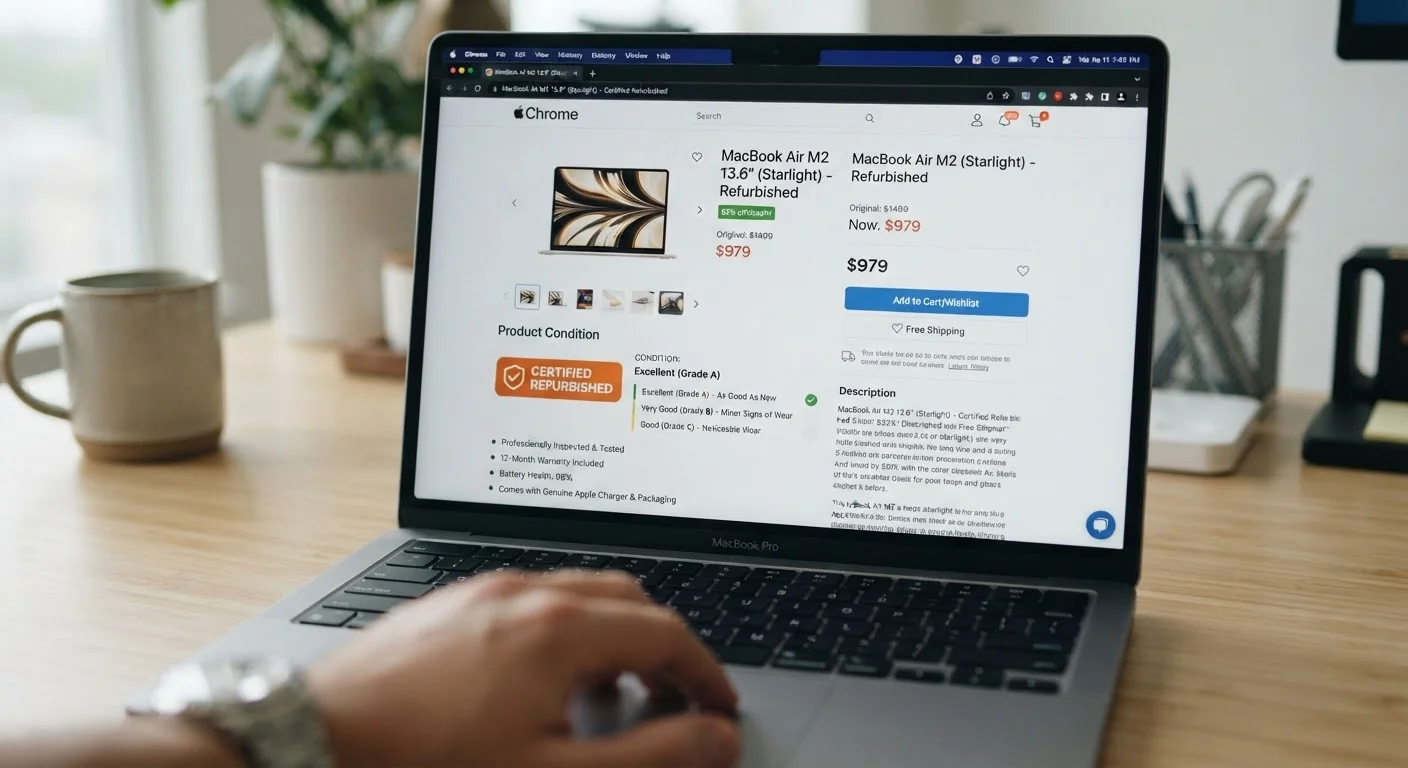
Photo: SaverSteals.com | Explore More. Shop Smarter. editorial
—— In This Article
Key Takeaways
- Condition grades like "Grade A" or "Like New" are not standardized and vary widely by seller.
- "Certified refurbished" carries more weight when backed by the original manufacturer, not just a marketplace seller.
- Return windows and warranty coverage are the most critical policy details to confirm before purchasing.
- Vague language like "fully functional" or "tested" without specifics is a red flag worth investigating.
- Battery health and cosmetic condition disclosures reveal how thoroughly a device was actually refurbished.
Why Listing Language Is Rarely Neutral
Refurbished electronics listings are written to sell, not necessarily to inform. Sellers choose words that emphasize value while quietly omitting details that might prompt hesitation. For budget-conscious shoppers, understanding this dynamic is the first line of defense.
The core problem is that almost no terminology in refurbished listings is standardized across the industry. A device graded "Grade A" by one seller may allow light scratches; another seller's "Grade A" may mean flawless. Neither is technically wrong - they're just operating under different internal rubrics. The same applies to terms like "refurbished," "renewed," "reconditioned," and "restored." These words are often used interchangeably, even though they can represent very different levels of testing, repair, and quality assurance. For a deeper breakdown of these distinctions, see how certified, manufacturer, and seller-refurbished labels differ.
Reading a listing critically means treating every unqualified claim as a question rather than a fact.
Cross-Check the Listing Against Independent Sources
Before committing, search the specific model number alongside terms like "common issues" or "known defects." Many popular electronics have well-documented hardware weaknesses that a listing won't mention. If a refurbishment didn't address a known recurring problem, that's worth knowing in advance. This is also useful when reading a spec sheet to confirm the model generation matches what's advertised.
What to Examine Before You Proceed
Before working through a listing step by step, it helps to gather the right context. Knowing who is actually selling the item - the original manufacturer, an authorized reseller, or a third-party marketplace seller - changes how much weight each piece of language carries.
What you will need
Manufacturer's refurbishment program page
Confirms whether a "certified refurbished" label is backed by the original manufacturer's standards and warranty.
Price history tracker (e.g., a browser extension or dedicated tool)
Helps establish whether the listed price reflects a genuine discount from a stable baseline or an inflated reference price.
Seller review aggregator
Provides independent feedback on fulfilment accuracy and how the seller handles condition disputes.
Step-by-Step: Decoding the Listing
Identify who is doing the refurbishing
Locate the seller identity clearly - not just the brand name on the product, but the actual entity refurbishing and selling it. Listings often mix manufacturer branding with third-party seller names. Options include: the original manufacturer (strongest accountability), an authorized refurbisher (moderate accountability, varies by authorization rigor), or an independent marketplace seller (accountability depends entirely on that seller's standards). This distinction affects warranty validity and return rights significantly.
Parse the condition grade carefully
Locate the condition grade or label ("Grade A," "Like New," "Good," "Fair," etc.) and then find the seller's definition of that grade - which should exist as a linked policy or footnote. If no definition is provided, treat the grade as essentially meaningless and rely on the written description and photos instead. Compare the grade definition against what the photos actually show.
Scrutinize battery and component disclosures
For devices with batteries - smartphones, laptops, wireless earbuds - look for explicit battery health disclosures. A high-quality refurbishment will either replace the battery or report its current capacity (e.g., "battery holds X% of original capacity"). The absence of any battery disclosure on a used electronic is a meaningful omission, since battery degradation is often the primary reason a device was traded in. Similarly, look for mention of screen condition (pixel issues, burn-in) and whether any internal components were replaced.
Read the warranty terms, not just the headline
Listings frequently advertise "warranty included" without specifying duration, what is covered, or who administers it. A 90-day seller warranty is very different from a one-year manufacturer warranty. Confirm: the length of coverage, whether it covers functional defects only or also cosmetic issues, the claims process (who you contact and how), and whether the warranty transfers if you sell the device. For a comprehensive overview of warranty types across refurbished purchases, refer to the complete refurbished electronics reference.
Confirm the return window and its conditions
Locate the return policy - not the platform's generic policy, but this specific seller's policy for refurbished items. Note the window length (30 days is common; shorter is riskier), whether returns require the original packaging, who pays return shipping, and whether restocking fees apply. Also check whether the return is "no questions asked" or requires proof of defect. For refurbished electronics specifically, a return window is your primary safety net if a device underperforms relative to its listed condition.
Once you've worked through each element of the listing, cross-reference what you found with a seller's overall reputation and dispute resolution options. Our guide on evaluating an unfamiliar electronics seller walks through that process in detail.
Common Red Flags and What They Signal
Even after reading carefully, certain patterns consistently indicate higher risk. Watch for listings that use multiple superlatives without evidence ("perfect condition," "like new," "zero issues") while providing no photos beyond stock images. Authentic refurbishment listings typically include actual photos of the unit - if only manufacturer renders appear, ask why.
Another red flag: no mention of what was actually repaired or replaced. A thorough refurbishment listing will often specify whether the battery was replaced, whether the screen was serviced, or which components were tested. A listing that says only "item has been tested and works" tells you almost nothing about the depth of that process.
Pay close attention to how return policies are described. Phrases like "all sales final" or "sold as-is" on a refurbished listing remove your ability to return a device that doesn't perform as described - a meaningful risk when buying electronics remotely. To understand the full landscape of assumptions that lead to disappointing refurbished purchases, see costly assumptions people make when shopping refurbished tech.
"Seller-Refurbished" Is Not a Protected Term
Any seller can label a device "seller-refurbished" regardless of what testing or repairs were actually performed. Unlike manufacturer-certified programs, there is no external audit or standard that seller-refurbished listings must meet. This doesn't make all seller-refurbished items poor quality, but it does mean the burden of verification falls entirely on the buyer. Treat the listing description and seller history as your primary evidence.

Electronics Editorial Team
Electronics Editorial Team is the collective byline for our editorial team and contributor network. Articles published under this byline or an editorial pen name are researched, written, and reviewed according to our editorial standards for clarity, consistency, and independence before publication.
View author profile